

Heading into the new financial year can feel like a transitional time – in one way we’re all looking at the weather change and spring FINALLY arriving, but in another we’re aware that another tax year has closed and our corporate budgets reset. That makes it the perfect moment to review your contracts and make sure they are setup correctly so as not to incur any unnecessary charges for the year ahead. 

So, let’s talk about ways in which you can keep the costs down on your business mobile contract for FY 2026/27. In this blog, we’ll discuss three ways you can help to keep your bills predictable: 

  • Implement a cost cap 
  • Audit your regular usage 
  • Track your key contract dates 

Top tip: everything discussed in today’s blog can either be activated or investigated through the My O2 business portal. If you haven’t setup your login yet, you can do so here: https://www.o2.co.uk/business/myo2business 

Implement a cost cap 

Ever had a bill which made your eyes come out on stalks when you opened it? Not a nice feeling, is it? 

There is one very simple way to keep costs under control which is available to all O2 business customers from day one. The spend cap. 

This simple setting lets you set an overspend limit on your regular bill to keep out-of-bundle costs for data, calls, and texts within a set parameter. These limits can be set to one of the following options; £0, £5, £10, £15, £20, £30, £50, £75, £100, or £200. 

How does it work? Well, once a user hits their designated cap, the network automatically restricts out-of-bundle activities, such as premium rate calls or extra data usage, until the next billing cycle. This means no more worrying about unexpected costs at the end of the month!  

To have a cap applied to your account, you can either get in touch with our customer support team who will apply it for you, or you can do it yourself through the My O2 business portal. 

Audit your regular usage 

Even with a cost cap in place, if you find yourself regularly spending more than your monthly tariff you could benefit from increasing your included allowances as a GB of data added in advance is often cheaper than one paid for as an addition. 

Most providers will be happy to increase your limits during your contract, but it’s worth noting that in a lot of circumstances you can only decrease your included allowances at the end of your contract. 

A great place to start is looking at how much of your existing plan you are currently using on the portal. Look out for things like are you regularly going over your limits, or are you simply not hitting them every month? Have you got multiple users on the contract but don’t have pooled allowances? Do you have one or two key power users that need a different tariff to the rest of your business? 

These days most business contracts include unlimited minutes and calls, so when running this audit, you’ll want to focus mostly on data usage as that’s typically the key variable on a tariff. But whatever you do, it’s worth taking five minutes to go through all your usage charts and see if there’s any opportunity for you to save money. 

You might be surprised at what you find.

Track your key contract dates 

Finally, it can pay to keep track of and know the key dates for your contract. If I had to ask you right now, do you know when the finance agreement on your handset ends or when you are eligible to renew and review your current contract? 

Don’t be ashamed if the answer is no – the answer for nearly all of us is no! But just because we may not know what the right answer is, it doesn’t mean we shouldn’t know it. For two key reasons:  

  1. By understanding when your finance agreements expire, you can better plan to either upgrade your handset(s) or reduce your tech spend 
  1. By knowing when your contract is due to expire, you can understand how long you are fixed into your current payment plan and plan to increase or decrease this cost as you see fit at the earliest opportunity before moving onto a rolling contract 

The key contract date for your tariff will be available in your My O2 business portal, but your handset finance agreement may not appear there if it was taken out with a third party such as Propel finance. 

Conclusion

Truthfully these steps can be taken at any time, but the start of the new financial year as you are drawing up budgets for the coming 12 months can be the ideal time to check in on your business mobile contract and only paying for what you need. 

So what are you waiting for? Login now to the My O2 business portal and get checking your usage and costs. 
As your business grows, so do your responsibilities. More employees, more projects, and more operations make it easy to overlook small but important details. This is where a telecoms audit comes in. Think of it as an operational health check to ensure everything is in its correct place and you’re making the most of what you’re paying.

Why are telecoms audits so important?

Ignoring your business mobile contracts can lead to unnecessary spending that will eat into your profits. As your team expands, your mobile needs will change and without regular checks, you could face several problems.

  • Paying for unused services: You may be paying for former employees or data add-ons which are no longer in use.
  • Being on the wrong tariff: Your data patterns may have changed. This could be the case if you’re on the road more than before. Make sure you’re on the right tariff so you’re not getting caught by additional charges over your usage allowance.
  • Missing out on better deals: The business mobile market can change without you realising, so it’s worth checking in to see if you’re still on a good deal.
  • Lack of security and control: Do you know who still has access to company mobiles and how much data they’re using? Regularly review usage to ensure everyone stays within their limits.

The key benefits of a thorough mobile audit

Carrying out a telecoms audit can produce many benefits…

1. Significant cost savings

The most immediate benefit is financial. By analysing the expenses surrounding business mobiles, you can properly evaluate what’s needed and what is safe to get rid of by cancelling redundant lines, negotiating better rates or switching to a plan which better suits your needs, you’ll notice the difference. You may need to add SIMs or handsets to your plan down the line, especially if you’re expanding, but at least you’re sitting nicely on your optimised business mobile standpoint.

2. Improved efficiency and productivity

When your team has the right tools for the job, they’ll naturally work more efficiently. If they’re getting bogged down by slow speeds or not enough data, productivity can take a hit that you’ll notice when doing your month-end finance checks. Make sure your data is correct for their needs and ensure they have the right mobile for what they’re doing. For example, if it’s just used for working from home or travelling on the road, a more budget-friendly option might fare better, but, if they’re meeting new clients and needing to make an impression, a higher value mobile may sit better in their arsenal.

3. Enhanced budgetary control

Don’t just accept your bill as it is — track your spending and make sure everything adds up. An audit gives you a clear picture of costs, so you can plan for expansion with confidence.

4. Better contract terms

An audit gives you the power and knowledge to properly know what you need and what you can ask for from your network provider. Knowing how your employees use calls, texts, and data allows you to optimise your mobile plans effectively.

How to perform your own telecoms audit: a step-by-step guide

Ready to take control of your mobile spending? Performing an audit might sound daunting, but you can easily break it down into manageable steps.

Step 1: Gathering your documentation

The very first thing you’ll want to do is gather all your documentation related to your current business mobile setup. This can be anything, such as recent bills, current contracts and the assets linked with the contracts, like handsets.

  • Recent bills: Gather at least 3 to 6 months’ worth of relevant paperwork.
  • Current contracts: Find the master service agreements and any individual user contracts.
  • Asset inventory: Create a list of all company-owned mobile devices and SIM cards.

Step 2: Create an inventory spreadsheet

Start building your cheat-sheet. Within your inventory spreadsheet, you’ll have all the much-needed details related to your contracts.

  • Employee name
  • Mobile number
  • Device
  • Network provider
  • Monthly plan/tariff
  • Monthly cost
  • Data, call and text allowances
  • Contract start and end date

Step 3: Analyse usage vs allowances

Time for some comparing – it shouldn’t be too difficult now you’ve got your master spreadsheet. You’ll want to analyse the plans you’re signed up with to your actual usage. For example, if you’ve signed up to a 30GB data contract but you only use 9GB, it’s worth exploring a lower data contract. Are there some employees who ride too close to their limit? It might be worth upping the allowance to avoid over-usage costs. Not using a contract at all? Then it’s time to cancel.

Step 4: Review your contract

Now it’s time to look at the wider scope of things.

  • Check contract end dates: Check which contracts have either finished or near ending. These will be your first points of call to save money by negotiating with your provider or cancelling if it’s not required.
  • Research the market: Explore other options. You don’t have to stay with your current provider as others may be offering the same or a better package for a cheaper price.
  • Talk to your current provider: Don’t be afraid to call your current provider and discuss your package and pricing. Explain that you’re evaluating your options and they might be able to sort you a new deal.

Step 5: Implement the changes and update your master spreadsheet

Now’s the time to make the changes you’ve been brainstorming.

  • Cancel: Terminate your zero-usage contracts and redundant lines.
  • Switch: Move handset users to new, more appropriate tariffs you’ve found.
  • Negotiate: Finalise any contracts you’ve agreed upon.
  • Monitor: Review your bills. Everything should run smoothly if done correctly but it’s always worth checking.

Once you’ve gone through the stages and you’re happy with your new setup, make sure you make the amends on your master spreadsheet. You’ll want to use this as your guide to ensure everything’s kept together and it can’t run away from you. It’s worth setting a reminder for every 6 months to audit your telecoms setup. Business mobile contracts typically last from 24 to 36 months, depending on your agreement, but it’s worth checking every once in a while, to ensure they’re still correct for your needs. Things change and amends may need to be made on the fly, which is fine, it’ll just be a chat with your provider.

You’ll want to perform a full audit every 12 months but it’s worth doing ‘mini audits’ every 6 months to keep on top of your business mobile contracts and their usage.

The most typical savings from an audit are cancelling unused lines, downgrading plans which have too much data and reduce any unwanted out-of-bundle savings. You can also negotiate better tariffs to properly fit your requirements.

If you have the time and resources, it’s recommended to do it in-house as you’ll know what is being used and who uses the handsets or SIM plans. It may take longer for it to be completed externally as they will need to investigate.

Ready to take control of your business mobiles and unlock smarter savings? If you’d like guidance or support in upgrading your mobile setup, get in touch with our team today.

Slow downloads and dropped calls can be a real pain. To the untrained eye, it might seem like a little blip, but it’s likely part of a larger problem, which is poor connectivity. It’s become the norm to require a high-quality and stable connection at the office and on the road – it’s essential, in fact. To bring you up to speed and how to tackle mobile network problems, we’ll provide some insight into the issue of poor connection and the best way to tackle the problem.

The real cost of poor connectivity

A slow and unreliable connection can be frustrating and we get it. It can cause some real challenges that you don’t want to have to deal with, and ones which can possibly cause some damage to your business.

Lost productivity

One blip can multiply and cause lots of time wasted. And yes, that translates into lost money. slow internet doesn’t just waste a little time for one person—it multiplies across the whole team and costs your business a lot of time overall.

Poor customer experience

What happens when a customer tries phoning in and it keeps dropping? They’ll probably start looking elsewhere, somewhere more reliable. Every bad interaction affects your relationship with your customers, leading to bad reviews, and in turn, makes your business look unreliable. We don’t want that, do we?

Missed opportunities and revenue loss

Near-instant loading and not having to worry about downtime or slow load speeds increases productivity in your business. This then increases efficiency and profitability. If your team don’t have the right tools to do their job, you’ll miss out on new opportunities and slow down your business growth. The financial impact because of poor connectivity is too great to ignore.

We wanted to show you what happens when poor connectivity takes over – huge amounts of money and time are lost. According to Beaming’s report, internet outages cost businesses over 50 million working hours and £3.7 billion in 2023. Another study from Unity World found that small businesses had lost £2.7 billion due to downtime.

How to spot connectivity issues in your business

If you’re not sure if poor connectivity is a problem, here are some signs:

  • Frequent complaints: Typically, when the data is slow, you’ll hear from your employees.
  • Slowdowns at peak times: Your network can’t handle the amount of use.
  • Slow cloud tools: Your CRM or cloud-based tools could be facing long loading times.
  • Speed test results: An online test can be the clearest way to see if your download and upload speeds are taking a hit.

Practical steps to improve connectivity

Don’t get a headache trying to fix it without some tips. Let us give you a hand.

  1. Review your current mobile plan

It’s worth checking your current plan to make sure it meets your needs. If your team has grown, you’ll more than likely need to give your mobile setup a bit of an upgrade. The easiest option will probably be to upgrade your plan by adding new devices or, if you’re just needing higher levels of data, to upgrade your data allowance and keep your current handsets.

  • Choose a reliable provider

Not all providers are equal. This is apparent when you’re browsing around and notice a lot of price differences for similar packages. Explore what’s out there and go for one which is more suited to your needs, whether you’re looking for a cheap deal, reliability or high-class customer service. Factoring all 3 will give you the best chance of a long-lasting provider.

  • Perform regular maintenance

Constantly evaluating your business mobiles will keep you performing in tip-top shape. Regular reviews of your current setup and seeing if any areas need improvements can be the difference between downtime and smashing targets. Reliability is more important than people realise and we can be sure you’ll notice when it’s struggling.

FAQs

The main ways you’ll notice is from the loss of productivity and poor customer service. Yourself, your team and your customers will soon make you aware there’s problems with communication.

Areas which may seem like smaller issues can transfer into larger problems, such as missed opportunities and revenue loss.

Start by reviewing your current setup and see what might need improving. Sometimes it’s worth switching to a new provider to obtain good deals and improved connections. They may suggest a new handset or better SIM offers to keep you online without worry of interruptions.

It’s worth taking a look at your current mobile plan at least once a year. That way you can stay on top of offers and reduce the chances of downtime and productivity issues.

If you’re looking to upgrade your current business mobile structure, get in touch.

Upgrading your business mobiles can feel like a big job. One of those admin tasks you’ve been putting off. When you’ve got some free time next, it’s worth reviewing your business mobiles as they currently stand and see if how they’re set up is the most efficient. We suggest having a cup of tea or coffee to help you – it makes it much easier!

We’ll give you a hand, showing you how to amend your current situation – even a short version if you’re in more of a rush.

In a rush? Take a look at our cheat sheet

Click each step number to view the full section.

Step 1
Check your current setup
Step 2
Figure out what you need
Step 3
Do your research

Step 4
Plan to switch

Review what you’ve got and the usage your SIM and mobile are getting.Look at what you actually need and your regular data usage.Search around and see what contracts and options are on the market.Found what you want? Do mobile backups and plan when’s best to switch to your new SIM and mobile.

Step 1: Check your current setup

Getting a new mobile can feel pretty exciting (like getting a present on Christmas), but it’s smart to do your research into which mobile to get. There are a few different types which you can consider, but the first step is to ask yourself a few different questions.

Are your contracts up for renewal?

Knowing when your contract is up for renewal is one of the most important steps, as it can be the difference between a normal renewal and having to pay a large fee for changing your contract early – called a termination fee. If it’s coming up soon, you’re good to go. You can start looking at your renewal options.

What’s working and what isn’t?

Get some real-world feedback on your current devices. If you use one yourself, then you’ll know how you get on with it and what could change for the better. If you’ve got a team that uses them, ask them some key questions to find out how they’re finding the current mobiles.

  • Is the battery lasting for the full day?
  • Is there enough storage on the device?
  • Is the mobile fast enough to keep up with normal use?
  • How is the call quality?
  • Do you have enough data for standard usage?

Finding out the answer to these simple questions can make your life a lot easier and the task of shopping around a lot quicker.

Step 2: Figure out what you really need

Now you know what works well, and the pain points with your current setup, you can truly focus on your next mobile lineup. It’s easy to get distracted by the latest and greatest features available on the market but it’s the mobile which perfectly fits your specific business requirements that you need to find.

The hardware itself

The key thing we can’t emphasise enough is not everyone needs a top of the line mobile. That can be the mistake which can cost you dearly. Get ones which fit the needs of those who use them.

Software and security

The next step is looking at the software and security. What software does your team typically use, as it’s best to make sure your current and new software are compatible with each other. If you’re working across Apple and Google, it is possible for it to work seamlessly; you’ll just need to go down the Google route. Within their tech ecosystem, there are shared calendars and Google Drive to keep you connected.

Security is another big one. Modern smartphones come with security features like biometrics (face scan and fingerprint scanning) and encryption. These are the main ways to secure your device and it’s worth getting those set up ASAP. It’s better to be safe than sorry.

Step 3: Do your research and compare deals

Now’s the time to do a bit of window shopping. With your prior research complete, you can have that at your side whilst you explore your options. It might sound easier to stick with your current provider, but it’s worth looking into other options. There could be new customer discounts or a generally better deal. Searching around can really pay off!

Compare networks and plans

The price might pull you in, but you should check the other factors  – data, calls and texts, coverage and aftercare.

  • Data: Get the right amount. Don’t overspend on wasted limits.
  • Calls and texts: Look for unlimited as that’s the standard nowadays.
  • Network coverage: Ensure you get a good connection where you need.
  • Aftercare: It’s always good to be looked after when you need it.

Look at different ways to buy

While 24 or 36-month handset contracts that combine handset and SIM are common, there are other ways to sign up for a new contract. Some of which save you money in the long run if you’re willing to go down those routes.

  • SIM-only: If you’ve got a handset already, go for a SIM-only. You don’t always need a flashy new handset.
  • Leasing: Some providers offer leasing, where the upfront costs are lower and sometimes include maintenance and support.
  • Buying outright: Like SIM-only, you can get a SIM-only contract and buy a new mobile outright. It’ll be a lump sum at the start, but if you’re able, it’s always nicer to see lower SIM-only monthly costs coming out.

Step 4: Plan for a smooth switch

You’ve made your decision, now it’s time to ensure for a smooth transition. A little bit of planning can go a long way – you don’t want extended downtime or any disruption to your business!

Schedule the rollout

Choose a time which best works for you when a switch shouldn’t cause too many interruptions. Typically, a Friday afternoon may be a good one for you. It also gives your team a couple of days to get used to the device before you get started on Monday morning.

Back-up everything

It’s worth making sure you do backups anyway but it’s especially important if you’re switching handsets. Back up all your bits on the old devices ready to move to the new one. Most phones run on the cloud but anything local, back it up so you don’t lose it.

Set up the new phones

Before the new handsets are handed out to staff, or before you start using one yourself, get it business-ready. Install the necessary security software your business may use, business apps and email accounts. This can save time when putting it in to use and thanks to manufacturers, the setups shouldn’t take too long. Just a simple step-by-step process which shouldn’t take longer than a few minutes.

You should be all setup and ready to go. By taking it one step at a time and working through our guide, the process should seem less daunting. Equip your team with the needed tools to do a smashing job. If you’re looking for some additional assistance or you want a new SIM or handset, we’re happy to help. Our Aerial Refresh team have helped thousands of businesses get what they need.

FAQs

Check when your contracts are ending and ask your team how the current features operate, such as battery life, storage and speed. It could produce some clear indications that an upgrade may be due.

It makes more sense to match the phone to a person’s role. Most may not need advanced features, so a cheaper option would make more sense.

Make sure the plan includes enough data for your usage and always make sure to check network coverage maps to ensure you have strong connection when you need it. Ofcom have a nifty mobile coverage checker on their website.

No, you can choose from a few options when upgrading, such as SIM-only deals, leasing or buying phones outright. This gives you flexibility to get what you need when it’s time to upgrade.

Plan the switch for a quieter time and make sure all devices are backed up. It makes the transition period a lot easier and smoother.

Technology moves fast. Faster than you may realise, depending on how much you’re involved. Telecoms, and connectivity in general, have improved and evolved greatly in the past year – mobile phones have had an update, the data they’re using has turned to 4G and 5G as standard and old systems have been turned off. It’s hard not to feel flustered sometimes. It’s always good to stop, take a minute and have a little catch-up. Come and join us.

Saying goodbye to 3G

3G has held strong for many years – since March 2003 to be exact. It’s done very well since then, but its time has come to an end. The switch off for many providers started in 2024 with remaining providers giving till early 2026 before switching off support.

EE, Vodafone & Three switched off their 3G networks from early 2024 to early 2025. Virgin Media O2 are allowing till early 2026. This should be plenty of time for you to move over to 4G and 5G services before losing out. Most mobiles have that capability anyway, which is a plus, but you’ll need to make sure your SIM is ready, otherwise you may be left in the dark and nobody likes the dark. We sure don’t.

Where could this affect you…

The easy answer is your mobile phones, but there are other less common options where you also need to be careful – card payment machines, vehicles, tablets, Wi-Fi hot spots and more.

Evaluate your business connectivity

Don’t be left behind – take action by:

  • Auditing your hardware – It’s worth checking your tech to make sure you won’t be affected by dropouts.
  • 4G and 5G capability – Ensure the tech you audited is 4G and 5G compatible.
  • Chat to your provider – Ask them which SIMs under your account are in danger of being out-of-date, then upgrade those that need attention.

5G came in strong

Do you remember the days when 5G seemed too good to be true? Over the past year, it’s started to deliver. The futuristic concept of 5G seemed like the new fad, which could promise high download speeds, high upload speeds and general improved levels of connectivity.

It’s not just about sending and receiving files; for businesses, especially, it’s also about reliability and data capacities. 5G networks are designed to handle an increased number of devices, meaning in high-population areas, you can stay connected with reduced chances of drops. In short, when speaking to important customers and looking for that next big sale, there shouldn’t be any pesky interruptions.

To recap, you’ll see a smooth operating experience.

  • Seamless access to cloud storage and improved connection on video calls.
  • Instant connection – no longer having to wait for data to settle or for the data tower to catch up.

What does the future hold?

We’ve recently said goodbye to 3G and everyone’s now on the 5G train and the pace isn’t slowing down. What will the future hold? We’ve got a few ideas of how business connectivity will be…

1. The rise of eSIM

Some, if not most, haven’t needed to go down the eSIM route yet, but the change is coming at full speed. The iPhone Air, released at the end of 2025, has even locked the device down to eSIM only, removing the hardware for the SIM tray completely.

But why would switching to an eSIM be good for businesses?

  • Instant setups – Get an employee set up in minutes.
  • Dual SIM capabilities – Have an eSIM and a normal SIM (if your mobile can do both)
  • Better security – You can’t lose an eSIM!

2. AI within the telecoms industry

Whether you’re a keen AI user or just aware of how it’s being used, you can’t dance around the topic without knowing how it’s slowly changing the working world. AI is starting to play a huge role in customer service and network management, with continued development happening in the background. It’s expected that you’ll face an AI agent before you talk to a human being, no matter the industry, with some going down the AI WhatsApp chat route too. Who knows – businesses could automate emails for outages or process cancellations with few issues at all. Whether you’re an AI whiz or not, it’s worth keeping in touch with the topic so you’re kept up to date.

Preparing your business for tomorrow

Just because your current telecoms solution works doesn’t mean it’s ready for the future. It might seem like something you can leave and not touch for a while, but you’d be surprised. Sticking with legacy tech can cost you money and productivity. With how business connectivity is evolving, make sure you don’t get left behind by reviewing your current setup.

Review your contracts – Don’t pay for contracts you’re not using or have too much data? 

  1. Test your speed – Don’t be stuck with an old SIM that can’t handle 5G.
  2. Embrace the cloud – Efficiency and speed are key.

Secure your mobiles – Make sure they’re tracked and password protected.

It is, major networks are working on shutting down 3G to make way for fast 4G and 5G. It’s also to ensure you’re up to date, so it’s worth reviewing your current business mobile plans.

5G offers faster speeds, which means the general workload will become more efficient and more reliable, especially in busier areas.

An eSIM is built into the device. You’re able to set it up in your data settings and it’s much quicker – there’s no longer a need to wait for the SIM in the post. To get one, you’ll just have to chat to your existing provider, or new, and setup an eSIM account with them.

You should start by auditing your tech, especially business mobiles. You’d be surprised how important they are to you and the kick-back if they went wrong could be massive. Take some time and see if they’re ready and 4G/5G compatible.

Are you ready to upgrade your business connectivity? The future is calling.

It’s that time again – Samsung have launched their new smartphones for the coming year, and while you could make an argument that this is evolution over revolution there are some updates contained within this refresh that will be of interest to business users. 

The updated range 

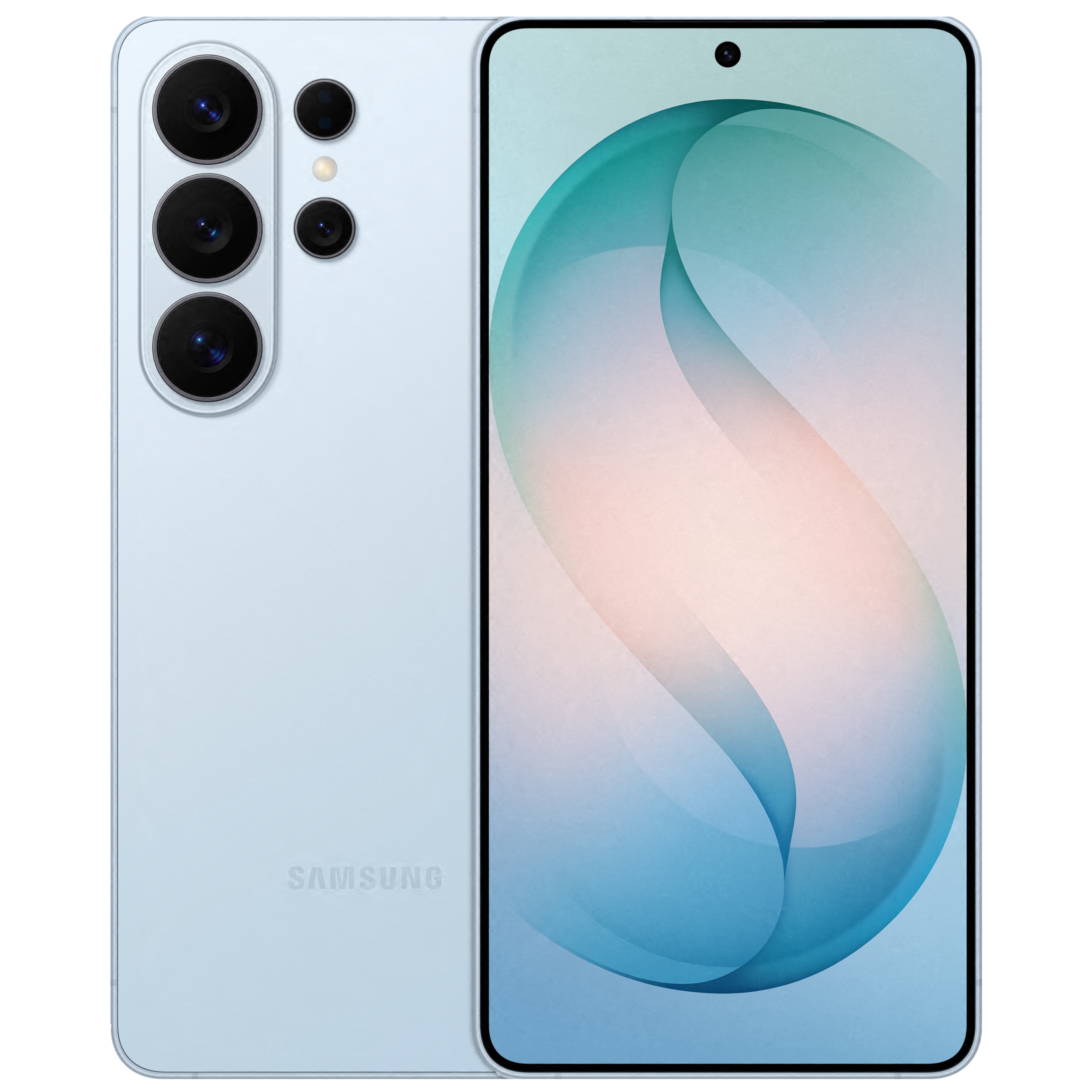
So – first and foremost, what are the new phones? There are three new offerings: the S26, S26+ and S26 Ultra.  

The S26 gains a small amount of screen size this year going from 6.2” to 6.3” while the Plus and Ultra remain the same at 6.7” and 6.9” respectively. Other than that, the physical changes this year come down to making the series more cohesive in how they appear so keen observers will note that all three now look much more like other than they ever have before. In practice this means the S26 Ultra looks slightly less boxy than its S25 equivalent and the visual differences between all three are greatly reduced.

The processors are all faster than the previous versions, but what’s been particularly focussed on with these latest updates are the neural processing units (NPUs) which mean the phones are more optimised for AI than they have ever been before.

These changes do feel more like incremental steps designed to keep the phones relevant in the market, but the next feature is a genuine world first. 

Privacy display 

The S26 Ultra comes with a built-in privacy display. This is a hardware change whereby the screen comes with the built-in ability to restrict viewing angles, but it’s controlled and configurable by the onboard software. 

So, if you only want the privacy display active at work – then that’s fine. Or if it’s only for certain apps or notifications, that’s fine too. This feature can be turned off or on at leisure and activated automatically should you so desire, so it’s a real game changer for privacy focussed organisations. No longer do you need to fear that stranger next to you on the train reading your emails over your shoulder – just activate the privacy display and crack on. 

Now, admittedly you can buy a third-party screen cover to place over any existing phone and achieve a similar result, but it’s the built-in and easily changeable nature of Samsung’s display that makes this such a game changer. 

AI 

As with literally everything else launched anywhere in the world over the past 4 years, Samsung made a big play on AI during its announcement. But in this instance – they really are trying to make progress with these new handsets. 

How many of you have tried to use AI on your phone and found the speed it comes back is slowed by the data connection? Well, the new processors mean that each model has increased it’s NPU processing speed by at least 38%. This sounds really boring in and of itself, but Samsung say that this means AI features can run locally and instantly, greatly reducing the delays you can see when using it. Now we’re all more interested. 

In terms of onboard AI features, the new range comes with Now Nudge and Now Brief which are constantly running AI processes in the background designed to make it easier than ever for you to take advantage of them.  

How? Well, if you’re texting a friend and promise to send pictures from a trip – your phone can now proactively prompt you to do that and surface the photos ready for sending. Or if it knows you get a particular train at roughly the same time each week, it can bring up train times for you. The future is coming! 

One feature that may make many corporate IT departments happy is that these new phones allow you to select the AI engine you use to run in the background switching between Gemini and Perplexity simply at the change of a setting. So, you can change to select the one which is most compatible with your businesses IT policies. 

We can already hear CTOs everywhere breathe a little easier. 

Document scanner 

Another AI feature which will excite anybody who has tried to scan a receipt for an expense claim through a phone is the built-in intelligent document scanner. This allows you to take a picture of a document with your phone and can then clean them up by removing corner folds, fingers, distortions – basically all the normal things that happen when you take a picture of a receipt. 

Finance departments everywhere are now pushing for their road-based colleagues to have Samsung phones. 

7 years of updates 

Since 2024 and the launch of the S24, Samsung have guaranteed that they will continue to support their phones with OS and security updates for at least 8 years. In fact, they have stated that they do not design their updates to slow down the device, so you can rest assured that so long as you look after your device it will continue to stay relevant and up to date for years and years and years and years to come.  

This makes Samsung devices perfect for organisations that like to sweat their assets and get the most out of their investments. 

When is it arriving? 

The S26 range is available for pre-order from now and will be available from 11th March 2026. 

Interested in upgrading? 

Aerial Direct can help your business get their hands on the newest phones – whether you are an existing customer or not. Simply fill in the form below and a member of our team will be in touch. 

Simply want to find out more? 

If you’d like to find out more about the range before expressing your interest, then feel free to explore more on the official Samsung website.

“There’s so many new mobiles on the market – where do I even start?” We hear this a lot, so you’re not alone if you feel this way. It can almost seem a little overwhelming with the number of mobiles that may seem like a viable option, but what’s really the difference between them?

We’ll outline the newest mobiles in 2026 and what you should look out for as their main sales piece – what’s really different between them and what you can benefit from during normal day-to-day life.

Samsung’s Latest Devices

Samsung has been releasing some real powerhouses in recent years and there’s no sign of them slowing down. In 2026, the brand has delivered impressive updates to both its traditional S series and its new foldable Z series, offering something for every type of user.

Samsung Galaxy S25 Series

The Galaxy S series has always been the staple of Samsung’s mobile lineup and the offerings in 2026 are no exception. They’ve really tried to refine the user experience, making upgrades across the board, from the speed to the quality of the screen. They’re definitely the upgrades you’ll struggle to miss.

The display – The Dynamic AMOLED 2X display offers bright, clear visuals and smooth performance, making it ideal for video calls, document review, and multitasking on the go.

The processor – Under the hood, you’ll find the ‘Snapdragon’ processor. This powerhouse provides a seamless experience with enhanced performance and efficiency no matter what you’re doing on your device.

Samsung Galaxy Z Fold7 and Z Flip7

Whatever your view is on the Fold and Flip phones of this generation, Samsung showcase their Z Fold7 and Z Flip7 at the forefront of their lineup. You must admit, they’re quite incredible pieces of tech.

They’re made with efficiency and multitasking in mind. The Galaxy Z Fold7 is designed to help you handle multiple tasks. When closed, it behaves like a regular smartphone. When opened, it becomes a larger, more powerful workspace for productivity.

The mobile turns into a tablet to allow for maximum room so you’re able to browse and message at the same time. Optimal if you’re looking to do some research on the side whilst taking your next big important business call.

On the slightly smaller side, the Z Flip7 is all about style and portability. Flipping down into a neatly designed square, it can tidily slip into your pocket, laptop case or rucksack, depending on your choice of carry case. If even features a screen whilst staying flipped shut, allowing you to check notifications, change music or reply to messages without the need to unfold.

Apple’s Latest Devices

Apple continues to set a high bar for design, performance and user experience. This year’s iPhone lineup introduces some exciting changes, including a brand-new model that shakes things up.

iPhone 17e and iPhone 17 Series

The iPhone 17 range came out in the latter part of 2025, but it’s definitely earned its place in the list of the newest mobiles in 2026. The top-of-the-line tech featured in their iPhone 17 models is pretty incredible and Apple has taken price into account. Introducing the iPhone 17e…

The iPhone 17e is the entry-level mobile within the new range, but it includes pretty much all the necessary tech you’d ever need in a smartphone (minus the impressive cameras) being the main hardware within the higher end of the range. The impressive A-series chip ensures a fast and fluid experience whilst keeping its sleek design.  

The standard iPhone 17 and iPhone 17 Pro and Pro Max models continue to be the primary flagships within the Apple lineup for the most recent release, as we’d expect from previous years. They feature the most advanced ProMotion displays, offering incredibly smooth scrolling and responsiveness. They can also tackle the most difficult experiences with ease thanks to their highly intelligent A-series Pro chip, the A19, exclusively in the iPhone 17 Pro. Whether you need a top-of-the-line device or to go for a respected model a little lower down the Apple chain, it’s up to you. We’ve produced a blog in the past that helps you figure out what you need for your business – take a look!

Buying a business mobile: What you really need to know.

Some key highlights of the iPhone 17 range:

  • Advanced performance with Apple’s A19 chip.
  • A Super Retina XDR OLED display with ProMotion, up to 120Hz.
  • A 48MP Dual Fusion rear cameras.
  • All-day battery with fast charging.

They might sound complicated, but to put it bluntly, it’s incredibly impressive tech that’s incredibly fast and incredibly high-quality.

Coming Soon: iPhone 18

We’ve been in the business of mobile phones for a long time, so we can comfortably say we expect the iPhone 18 to come out in the latter part of the year, typically around September to October time. If this is the case, it’s well worth looking into what’s currently available, as that’s a little while to wait for the next generation of mobiles.

Google’s Latest Devices

Google’s Pixel phones have earned a reputation for their exceptional cameras and clean Android software experience. This year is particularly exciting, with a new budget-friendly model and the promise of a next-generation flagship on the horizon. Within that, their current range isn’t anything to pass up – the Pixel 10 range can offer everything you need in a smartphone, with the lineup starting with the Pixel 10 to the impressive Pixel 10 Pro.

Pixel 10 and Pixel 10 Pro

The Pixel 10 range holds its own very well in the newest mobiles of 2026. It features impressive security features and performance capabilities to rival the likes of Apple and Samsung. Commonly the lesser choice for some could end up being a main player in this year’s market. This is especially the case when thinking of AI. Google are putting a lot of time into AI development and security to ensure the mobiles they’re selling are top quality and safe no matter the use. Check them out. You might be surprised.

Google Pixel 10a

The Google Pixel 10a is the newest mobile in the world of Google. Released for pre-order on the 18th February 2026, it holds all the likeness of the main Pixel 10 range in a bite-sized package for a cheaper cost. Think of it as the Apple iPhone 17e against the normal iPhone 17. The Pixel 10a features some impressive photography modes, minus some of the higher-level features of the Pixel 10, such as slightly slower operating speeds and a lesser display, but don’t put it down too quickly. It can do an impressive job for its price.  

Coming Soon: Pixel 11 Series

Similar to the iPhone 18, it is highly likely the Pixel 11 series will be released this year, around summertime, based on the release times of previous years. With the amount of work being put into their mobiles, Google stands strong to be a larger player in the field, aiming for the top spots from Apple and Samsung.

Summary FAQs

Apple feature the iPhone 17e and iPhone 17 lineup, with Samsung having the S25 series and foldables and finally, Google, displaying their Pixel 10 range and the newly announced Pixel 10a.

They can, in fact, be good for business use depending on your requirements. If you’re looking for something to unfold and produce a larger screen for multitasking or for design reasons, it’s well worth exploring your options.

The iPhone 17e is a more affordable version with fewer camera features but still has a faster chip and the sleek design of the new range from Apple.

Apple and Samsung have their mobiles releasing at similar times to previous years; Apple towards the end of each year and Samsung typically mid-year. The iPhone 18 and Galaxy range will be ones to look out for. Google more recently announced the Pixel 10a that is worth checking out if you’re looking for something that’s a bit easier on your wallet.

In short, yes. The Pixel 10a will offer all the necessary capabilities as the Pixel 10 if you’re looking for something more budget-friendly.

Are you looking for your next piece of reading? Take a look at our blog on the top mobiles of 2025.

Every year, new mobiles come out and it may make you wonder – “How popular are the new mobiles on the market?” With our knowledge and expertise in the world of business mobiles, at Aerial Direct, we’re able to give an in-depth sneak peek into what the top 5 business mobiles for 2025 are.

Whether you’re looking to upgrade your entire team or just need a reliable handset for yourself, we’ve done the heavy lifting by analysing the specs, the value and the durability to bring you our definitive list of the top 5 business mobiles of 2025. Being a mobile phone business, we have stacks of data to pull together, analyse and put on show, just for you. Take a look at our 2025 results.

The 2025 lineup at a glance

If you are in a rush and just need the headlines, here is the snapshot of our top picks for the year.

  • iPhone 16
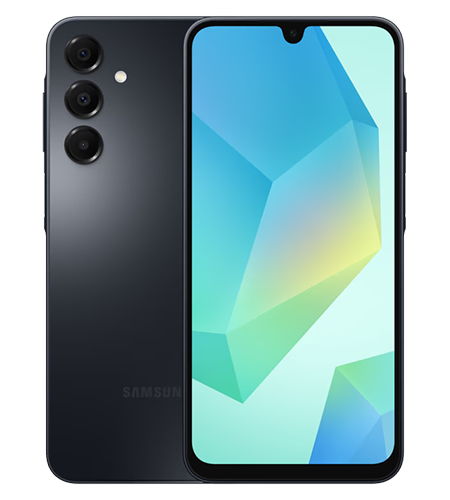
  • Samsung Galaxy A16
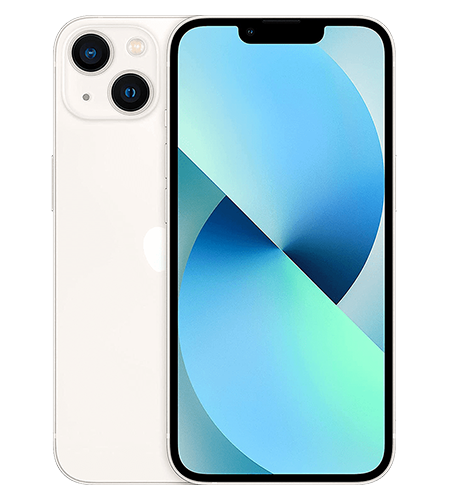
  • iPhone 13
  • iPhone 15
  • iPhone 16e

A deep dive into the top 5 business mobiles

Now that you know what to look for, let’s break down why these specific handsets made the cut for 2025.

1. iPhone 16

If you’re not too worried about the price and you’re looking for high performance, the iPhone 16 is well worth consideration. Apple has been working hard to make their new A-series chip as tough and durable as possible. It’s especially impressive in the multi-tasking department.

If AI has taken your fancy, it’s especially developed to seamlessly integrate artificial intelligence into your daily life. It can help you write up notes, plan for your next meeting and provide instant knowledge at the touch of a button.

Plus, battery life is always an important area to note. The iPhone 16 lets you get through a whole day of being productive without having to carry around that pesky wall charger. There’s nothing worse than hunting for a plug when you’ve got a busy day ahead.

2. Samsung Galaxy A16

Not every employee needs a flagship device that costs a fortune. The Samsung Galaxy A16 is the hero of cost-effective team management. It proves you don’t need to spend thousands to get a capable business tool.

The A16 features a crisp display that makes reading documents easy on the eyes and the expandable storage is a massive bonus for those storing large files locally. Its battery life is legendary in the mid-range market. If you are equipping a sales team or field workers who need reliability without the bells and whistles, this is your best bet. We can safely say it’s a keen model among small to medium businesses.

3. iPhone 13

No, this isn’t a mistake – the iPhone 13 is in fact one of our top-performing business mobiles for 2025! We’re not pulling your leg. You’d be surprised to know that it’s actually a top seller because of it being a trustworthy piece of kit that has a huge amount of potential still at play.

It can handle the latest updates with ease and with it being a bit older, it’s cheaper than some of the newer mobiles on the market. For most businesses, it sits right in the sweet spot. 5G connectivity, high-quality camera, decent battery life and still having a premium look – it’s a no-brainer! We’d recommend having it within your team if you’re looking to save on the cash.

4. iPhone 15

Sitting somewhat comfortably within the pack is the iPhone 15. It features modern hardware and sensible pricing, which is what a lot of businesses are looking for. This handset even features one more benefit – the capability to be charged with the same charger as other newer Apple devices – this is the first iPhone that they changed to a USB-C charging port. One less wire in your bag is always a plus!

5. iPhone 16e

The iPhone 16e is Apple’s answer to businesses demanding the latest tech without the flagship price tag. It strips back the luxury materials (like titanium frames) but keeps the engine – the processor. It’s built for business.

You’ll also find it’ll have a decent lifespan within your business as it’ll support new updates and features for years to come.

How to choose the right business mobile

Before you make your final decision, it’s important to think about what your business really needs. Picking a phone for personal use is about what you want, but choosing one for business is about what you need. Check out the three key factors to consider before clicking ‘buy now’.

1. Operating System: iOS vs. Android

This is the oldest debate in tech. If your office runs on MacBooks and iPads, sticking with Apple (iOS) makes sense for the seamless file sharing via AirDrop and device management. However, if your business relies on Google Workspace or you need customisable file systems, Android (Samsung) offers flexibility that Apple simply doesn’t. It’s always worth checking with your IT team too – they might have a favourite so it’s worth checking which can they optimally support.

2. Battery Life and Charging

For a business mobile, a dead battery means lost revenue. Look for phones that offer “all-day battery life”. Also, consider charging speed. Can you get 50% charge in 30 minutes before running out the door? Sometimes, that last minute charge might be the difference between you booking in your next client or losing out because you can’t access your outlook calendar.

3. Longevity and Support

How long will your phone get security updates? Business data is sensitive. Apple typically supports phones for 5-6 years, while Samsung has recently matched this with impressively long support windows for their newer devices.

Comparison: Which one fits your team?

Obviously, the choice of business mobile is completely up to you. You’ll have to weigh up your options and your requirements before deciding. Now, you don’t have to go with one of our popular models, especially when new mobiles are being launched each year – we’re just here to give you some guidance and a helping hand.

  • Need longer battery life? Go for the iPhone 16.
  • Want to spend a little less? Galaxy A16 is your best bet.
  • Looking for a simple life? iPhone 15 with USB-C charger.
  • You want a long-term investment? iPhone 16e offers the best lifespan-to-cost ratio.

You don’t always need to go for the most expensive one. It’ll be the one which fits best into your workday, seamlessly allowing you to carry out your work needs.

Summary FAQs

The iPhone 16 and Samsung Galaxy A16 are the best mobiles for battery life. The iPhone 16 relies on power efficiency to hold its charge and the Galaxy A16 features a huge battery to keep it going for longer.

If you’re looking to get the best bang for your buck, the iPhone 13 is definitely the right choice. It can handle the most recent updates with ease and has good operational speed. If you’re looking for a longer-term investment, the iPhone 16e will clearly outshine the iPhone 13. It might cost more now, but over time, it’ll be a better return on investment.

Technically the two different brands can work, you’ll just have to base your files and calendars on a more central cloud-based option such as Google Drive and Google Calendar. You also won’t be able to use any brand-specific features, such as iMessage or AirDrop , as they’re Apple-only features.

The iPhone 15 now charges with a USB-C cable, just like most other devices today, so that means it’s one less cord to carry around!

5G is becoming the norm for business mobiles. Its  high download and upload speeds ensure for a quick experience and you’ll have less downtime, especially on those important calls. We’ve even put together a blog about 5G for business mobiles – check it out!

The benefits of 5G for business mobiles

If you’re looking for a change or you’d like to get in touch about anything else telecoms, get in touch with our expert team. We’ve hit the 18k reviews mark on Trustpilot and rated excellent – take a look for yourself.

The world is changing at a fast pace and businesses need to stay up to date; they especially need to be responsive and flexible and 5G connectivity can help if you’re not already plugged in. Business mobiles sit right at the heart of this, especially when you’re managing remote teams, juggling cloud-based tools, or keeping in touch with customers while on the move.

This is exactly where 5G business mobiles come into play. As the next big leap in mobile connectivity, 5G offers faster speeds, better reliability and far greater capacity. But what does all that tech-talk mean for your day-to-day operations?

Let’s jump into the key benefits of 5G for business mobiles and see how it can smooth out your working day.

Keeping up with the times

Speed is one of the biggest wins when it comes to 5G. We’re talking lightning-fast downloads, seamless uploads and video calls that actually feel like you’re in the same room.

You’d be surprised how often slow connection can affect your business. It can be a real pain at the worst time and that dreaded buffering wheel can give people nightmares. 5G speeds up your day and ensures you can get online quickly to carry out your normal tasks without interruptions. O2 have improved their infrastructure sevenfold to keep up with the times. Check out their latest news on their 5G standpoint.

Why is 5G better than 4G? How it works…

Let’s start with some key knowledge; so you know what we’re delving in to. The difference between 4G and 5G is huge, whether you know the technical reasons or not. In short, it’s a huge amount more efficient and incredibly speedy in comparison.

The development into 5G wasn’t a quick process as it took some tweaking and improving along the way before it was officially rolled out across the UK.

Here’s some beneficial know-how before we get cracking into further 5G benefits:

  • Targeted Signals: 5G stations aim directly at your device. It basically cuts down the randomness and specifically targets your mobile.
  • Efficient Packaging: Think of it like sending one well-packed parcel instead of lots of little envelopes; it’s simply more efficient.
  • Closer Connections: With more towers available, especially in busy areas, your data doesn’t have to travel as far.

Reliability you can count on

With so many businesses now mixing remote work with office days, your mobile is often your lifeline. Sales teams, engineers and managers need to know their connection won’t let them down.

Introducing 5G technology brings a host of stability improvements to your fingertips:

  • Enhanced network stability for fewer interruptions.
  • Reduced delays when transferring important data.
  • Fewer dropped calls during critical conversations.
  • Video conferencing that’s smooth and professional.
  • Real-time performance that keeps up with your apps.

For any business that relies on mobile connectivity to keep customers happy and operations running smoothly, this reliability is a real advantage.

Working smarter with cloud tools

Is your business moving everything to the cloud? Whether it’s email, storage, accounting, or team projects, 5G makes accessing these tools on your mobile faster and smoother than ever.

With a 5G-enabled business mobile, your team can collaborate on shared documents in real time, securely access business systems while travelling and finally cut the cord on searching for decent Wi-Fi.

Future-proof your business

You might be thinking, “Do I really need 5G right now?” While not every app demands it today, getting 5G-ready devices is a wise move for the future.

As software and apps continue to develop, they’re going to rely more on 5G capabilities. By upgrading now, you’re setting your business up for long-term growth. Plus, modern mobiles are built to last longer than you’d think. While the trend has seen people upgrade every year, a good device can serve you well for a long while, especially when it’s ready for new network speeds.

Conclusion

Choosing the right solution depends on where you are and what your business needs to succeed. While 5G coverage is spreading rapidly across the UK, it might not be a “must-have” for everyone straight away. However, for many, making the switch to 5G business mobiles offers immediate advantages and safeguards your communications for the future.

Thinking about shaking up your mobile set-up? It’s worth considering how 5G could support your team and keep your business connected as you grow. Check out our handsets too, especially if you’re looking for an upgrade. As one of O2’s largest partners, we know what we’re talking about.

Summary FAQs

5G offers faster speeds, improved reliability and greater capacity, helping businesses boost productivity and stay connected on the go.

5G delivers faster connections, more stable network performance and better support for real-time applications than 4G.

Yes, 5G brings enhanced stability, reduced delays and fewer dropped calls, making it ideal for essential business communication.

Absolutely! 5G ensures smoother, faster access to cloud apps, document sharing and mobile collaboration, wherever you are.

While not every business needs 5G right away, upgrading prepares you for future growth and new technologies as they arrive.

Running a business in today’s digital landscape means staying connected is non-negotiable. Whether you’re a sole trader answering emails on the go or a larger enterprise coordinating teams across the country, your mobile connection is your lifeline.

When it comes to looking for a new business mobile provider, it isn’t just about finding the cheapest SIM deal, it’s about finding one which understands and caters for your needs. A solid choice can lead to happier employees and efficient opportunity-finding. Choosing the right business mobile provider is crucial for your long-term success. So, grab a cuppa, and let’s break down exactly what you need to look for to keep your business connected and thriving.

Navigation

Assessing Your Business Needs

Before you start looking at the details, you’ll need to take a good, hard look in the mirror and really see what you require. It’s best to start at the bottom and work your way up to ensure nothing is missed and you really are getting what you need. After all, no two companies are the same and a ‘one-size-fits-all’ approach rarely works for business mobiles.

Start by asking yourself these questions:

  • How much data do you actually use? Are your team members constantly streaming video calls and downloading large files, or are they mostly sending emails and checking WhatsApp?
  • How many connections do you need? Are you equipping five key sales staff or a fleet of fifty delivery drivers?
  • Do you operate internationally? If your team travels abroad or makes frequent calls to clients overseas, roaming charges can sting if you haven’t factored them in.
  • What about devices? Do you need the latest smartphones included in the contract, or are you looking for a SIM-only deal for existing handsets?

Understanding your usage patterns is the foundation of a good deal. It prevents you from overpaying for data you’ll never use or, getting hit with expensive out-of-bundle charges.

Key Features To Look For

Once you have a clear picture of your requirements, you can start analysing the mobile provider market.

Coverage and Reliability

All the data in the world is useless if you can’t get a signal when you need it. Check the coverage maps for the areas where your team works most frequently, including their homes if you have remote workers. Don’t just rely on the provider’s map, such as Ofcom’s mobile checker; ask for real-world feedback if you can.

Data Plans and Flexibility

Businesses can change. Require hardware updates. Can your plan scale with you? It’s worth looking at providers who can offer you shared data pools or flexible tariffs that allow you to add and remove users at will. It can ensure that you’re not wasting funds that can be put elsewhere.

Security

With cyber threats on the rise, mobile security is paramount. Does the provider offer enhanced security features like mobile device management (MDM) or secure remote access? Keeping your business data safe should be a top priority.

Customer Support

We hate to say it but sometimes, things go wrong. When it does happen, you’ll want experts ready to assist at the touch of a button. Ensuring you choose a provider with a top-class customer team is essential because the last thing you’ll want is to be stuck in a queue for hours on end without knowing the answer is on the other end of the phone. Check out providers by their customer support scores and response times. While you’re at it, feel free to check out our own Trustpilot – we’re quite proud of it.

Comparing Top UK Providers

From a quick glance, the UK market can seem quite saturated with mobile providers. Knowing the key players can give you a baseline for where to start, like seeing what SIM and handset packages on offer for what price. Here’s a quick overview of the current lineup.

EE

Often cited for its speed and extensive 4G and 5G coverage, EE is a strong contender for businesses that rely heavily on data and need connection in rural areas. They offer a range of business-specific plans that often include “Smart Benefits” like Apple Music or TNT Sports, though for a business, their reliability is the main draw.

O2

O2 is renowned for its flexible business tariffs and “Priority” perks. They are particularly strong on roaming options if you travel within Europe. Their “O2 Business” suite includes various digital tools to help manage your account, making them a solid choice for ease of administration.

Vodafone

A global giant, Vodafone is excellent for international business. Their roaming packages are extensive, covering destinations many other providers charge extra for. They also offer very competitive unlimited data plans, which can be a game-changer for data-hungry teams.

Three

Historically known as the budget-friendly option, Three has invested heavily in its 5G network. If you are in an urban centre with good Three 5G coverage, you could get blazing fast speeds for a fraction of the cost of the other big networks.

Breaking Down The Costs

It’s tempting to look at the monthly line rental and stop there, but the true cost of a business mobile contract is often in the details. To get a realistic picture, you need to dig a little deeper into the cost analysis.

  • Monthly Fees vs. Upfront Costs: Some contracts offer lower monthly fees if you pay more upfront for devices. Calculate the total cost of ownership over the contract term (usually 24 or 36 months) to see which option is truly cheaper.
  • Overage Charges: What happens if you exceed your data allowance? Some providers charge extortionate rates for out-of-bundle data. Capped contracts or “throttled” speeds (where speed slows down but you aren’t charged extra) can save you from nasty surprises.
  • Roaming Fees: As mentioned, if you travel, check the specific daily rates for the countries you visit. A “cheap” UK plan can become incredibly expensive after a week-long business trip to the USA or Asia.
  • Termination Fees: Business circumstances change. Check the fine print for early termination fees. If you need to switch providers or reduce your line count significantly, you don’t want to be held ransom.

Making The Right Choice

Now you’ve done your homework, comparing the networks and crunched the numbers. Ahead of signing the dotted line, you’ll want to take these final steps to ensure you’re completely confident on your decision. Crossing the t’s and dotting the I’s never hurts.

Ask the right questions.

Don’t be afraid to ask the harder questions when talking to sales representatives of your chosen providers.

  • “What is your average wait time for business support?”
  • “Is there a dedicated account manager for my business size?”
  • “What is the process for adding new users mid-contract?”
  • “Are prices fixed for the duration of the contract, or will they rise with inflation?”

Read the reviews

Look for reviews from other businesses, not just consumers. Business support channels are often different from consumer ones, so general Trustpilot scores might not tell the whole story.

Future-Proof Your Business Connectivity

Choosing the right business mobile provider is an investment into your business future. You’d be surprised how many areas of your business your mobiles are used. Take time to assess your needs and get the right package for you so your new mobiles can improve your efficiency and allow you to make good headway into your next business ventures.

Don’t settle for poor signal or unimpressive support just because it’s too much hassle to switch. A little effort now will pay dividends in seamless communication and happier staff down the line. We’re happy to help. We’ll make the process simple and easy to understand so get in touch and our experts will guide you through getting a new package.

Summary FAQs

Let’s break down the content for you in the form of an FAQ cheat sheet.

It’s best to assess your current situation and review the number of handsets you already have and how many you’ll need.

You’ll need to figure out what your data is being used for and how much is being used. That’ll be a good baseline to note before searching business mobile providers.

Check out their customer reviews on their reliability and their aftercare. Reliability can be checked using Ofcom’s mobile checker and their aftercare can be viewed publically on Trustpilot. Google is also a good place to check. You’ll want to make sure they’re there to help you when you need it.

There’s the main ones; EE, O2, Vodafone and Three. It’s worth looking at providers such as ourselves for a good deal on your new business mobile package, paid with high quality customer service. Not to blow our own trumpet – check out our Trustpilot…

Don’t be afraid to ask the harder questions when talking to sales representatives of your chosen providers.
• What is your average wait time for business support?
• Is there a dedicated account manager for my business size?
• What is the process for adding new users mid-contract?
• Are prices fixed for the duration of the contract, or will they rise with inflation?


If you’ve already got a mobile and you’re looking for an upgrade, our Aerial Refresh team can help you get the handset you need with the data package you require.