winning this award is a huge honour for us, and it’s a testament to the hard work and dedication of our employees. We are proud of what we have achieved and are excited to continue on this journey of growth and success.
We are incredibly proud to take the winner’s trophy for Best Mobile Solution and Service Provider as well as Partner of the Year at this years’ Mobile Industry Awards 2023.
The start of a new year is the perfect time to take a fresh look at your business mobile setup. Your company has probably grown and changed over the past twelve months, and there’s a good chance your mobile plan hasn’t kept pace. The good news? You can figure out whether you’re on the right tariff in just five minutes.
Here’s what we’ll walk you through:
Check your data usage
Review your call and text usage
Assess your roaming requirements
Evaluate your handset situation
Look at cost control features
1. Check Your Data Usage
This is the big one. If you’re consistently running close to your limit or going over your allowance, you’re likely racking up extra charges that could be avoided with a better-suited plan.
Log into your O2 Business account or check your recent bills to see your average monthly data usage. If you’re hitting your limit or exceeding it most months, you need more data in your plan – it’s usually more cost-effective to upgrade your allowance than to keep paying overage charges.
Don’t forget to look at individual users too. If some team members are constantly maxing out while others have plenty to spare, a shared data pool might be a smarter solution that ensures everyone has what they need without anyone hitting limits.
2. Review Your Call and Text Usage
With video calls, WhatsApp, and Teams becoming the norm, your communication patterns have likely evolved – but that doesn’t mean you need less.
Check whether your current allowance is keeping up with how your team actually works. Are team members running out of minutes? Do you need unlimited calling to support client relationships? If you’re finding that calls still play a crucial role in your business, make sure your plan reflects that reality.
3. Assess Your Roaming Requirements
Your O2 Business plan includes EU roaming as standard, which is brilliant if your team travels to Europe regularly. But if you’ve started doing more business further afield – think US, Asia, or Middle East – you’ll need additional roaming bolt-ons to stay connected without nasty surprises on your bill.
As your business expands internationally, make sure your mobile plan expands with it. The right roaming coverage means your team can work seamlessly wherever they are.
4. Evaluate Your Handset Situation
Are your devices still doing the job, or are team members struggling with cracked screens, poor battery life, or phones that can’t handle the apps they need?
If handsets are coming up for renewal or replacement anyway, now’s the time to think about whether your plan structure still makes sense. You might benefit from upgrading to newer models with better battery life, improved cameras for video calls, and the processing power to handle modern business apps smoothly.
5. Look at Cost Control Features
Does your plan have cost caps, barred premium numbers, or usage alerts set up? These features can prevent unexpected charges and help you stay on budget throughout the year. If you haven’t activated them yet, they’re worth implementing to give you peace of mind and better visibility over your spending.
Ready to Make Changes?
If your five-minute review has highlighted areas where your plan isn’t quite right, we’re here to help. Whether you need to increase your data allowances, add roaming coverage, upgrade devices, or restructure your mobile package, our team can guide you through the options.
Visit our contact page to get in touch, or give us a call on 01329 558 558 (Monday to Friday, 8:30am to 6:00pm). We’ll make sure your business mobile plan works as hard as you do in 2026.
Fareham, UK – October 29, 2025 – Aerial Direct, a leading UK provider of broadband and telecom solutions, has reached a major milestone: 200,000 active mobile connections.
This achievement marks a significant step in Aerial Direct’s continued growth journey, underscoring its commitment to delivering high-quality, reliable connectivity to customers nationwide. The milestone reflects the company’s focus on innovation, customer service, and long-term strategic partnerships, including its collaboration with Virgin Media O2 Business (VMO2).
“Reaching 200,000 connections is a remarkable achievement for Aerial Direct,” said Jason Phillips, Chief Operating Officer at Aerial Direct. “It reflects the dedication of our people and the trust that our customers continue to place in us. We’re incredibly proud of this milestone and excited for what’s next as we continue to grow and innovate.”
VMO2 Comment:
Jo Bertram Chief Executive Officer at VMO2 said “At VMO2, we’re proud to partner with Aerial Direct in delivering exceptional connectivity and digital solutions to businesses across the UK. For Aerial Direct to reach 200,000 connections is a testament to our shared commitment to empowering growth, enhancing customer experience, and helping businesses thrive through technology”
Aerial Direct continues to invest in its technology, network, and people to support future growth and ensure it remains at the forefront of UK telecoms — connecting businesses and individuals with seamless broadband and mobile solutions.
Technology is relied upon more than ever. It’s the same from home life to the working world, and a business mobile isn’t just for taking calls anymore; it’s for booking meetings, taking video calls and managing your entire work life.
A proper business mobile setup ensures your device is secure, fully functional, and optimised for the demands of your day-to-day. This blog will walk you through the setup of your new business mobile and ensure that your switch to a new device is as smooth as possible.
Step 1: Finding the right business mobile plan for your needs
There are many business mobiles on the market which offer a variety of different features, so ensuring you’ve got the exact mobile for your requirements is key. Depending on the provider, some offer features such as:
Shared data for multiple handsets
Flexible contract terms
International roaming packages
Ensuring you’re covered whilst on the road
Check coverage maps from major providers like EE, O2, Vodafone and Three to ensure reliable service where you operate. Other providers such as BT Business and Gamma Mobile also offer strong business mobile packages so it’s worth exploring options.
If you work in rural areas or travel widely, prioritise networks with the strongest coverage in your key locations rather than just the cheapest plan.
Step 2: Unboxing and first checks
Once you’ve received your business mobile, you can then start the first checks and setup procedure.
Unbox it carefully and check everything is included — handset, charger, SIM tool and manuals.
Inspect for any visible damage before powering on.
Give it a full charge before you start the setup process. This ensures your battery is working properly and you won’t get cut off halfway through downloading essential apps or transferring data.
If your provider has supplied a SIM:
Turn off the phone.
Open the sim tray with the provided SIM tool and insert the SIM.
Turn back on and follow any prompts.
Some networks activate automatically; others require logging into an online portal or calling customer support. Before proceeding, it’s usually best to let the business mobile sit whilst it connects to your provider.
For eSIMs
For both Apple and Android, the steps are similar when activating an eSIM.
Apple
Open settings and go to Mobile Data.
Tap Add eSIM.
Either use a QR Code or enter the details manually.
Follow the on-screen instructions to activate with your provider.
Android
Open settings and navigate to Network & Internet or Connections.
Tap on Sims or SIM Manager.
Download eSIM or Add Mobile Plan.
Either use a QR Code or enter the activation code manually.
Follow the on-screen instructions to activate with your provider.
Step 3: Transfer your contacts and data
For many businesses, contacts are the lifeblood of work communication which is why you’ll want to prioritise transferring them from your old phone. The typical process is through Cloud backups from your Apple ID or Google account but remember that it’s worth moving across everything from your old mobile so you’re as caught up as possible and can get moving on your day-to-day tasks. If it’s a new mobile, not to worry. Follow the standard steps which the mobile provides prompts for and start anew. Sometimes it’s nice to start fresh, even if you have an existing mobile. The choice is yours.
Step 4: Install your main work apps
Once the essentials are in place, load your device with the apps you use daily.
Email & calendar: Outlook, Gmail, or your company’s preferred client.
Collaboration: Microsoft Teams, Zoom, Slack.
File storage: OneDrive, Google Drive, Dropbox.
CRM systems: Salesforce, HubSpot, or industry-specific software.
Download only from official app stores to ensure you avoid security risks. Some of these are optional and, on some occasions, your workplace might already pre-install your new mobile with the apps needed to start work. For security reasons, some businesses also prefer to lock down the app download process, requiring an admin password to get anything new on your mobile so, if this is the case at your organisation, work with your IT team to get what you need.
Step 5: Configure email and calendar sync
Your email is often the first work tool you’ll need. Your communications to your customers and co-workers will be within this app. Typically, it’s easier to use the built-in email app which comes with your mobile, but sometimes you might want to download Gmail or Outlook– it’s your choice.
To get started, open the email app and follow the on-screen instructions to log in to your account and start syncing the data. Once complete, your existing emails should populate onto your device and new mail should start flowing through.
Step 6: Secure your device
Security isn’t optional for a business phone – it’s essential since that under UK data protection legislation, you have a legal duty to protect client and company data.
Must-do steps:
Set a strong passcode or biometric lock.
Turn on tracking tools like Find My iPhone or Find My Device.
For sensitive industries, two-factor authentication (2FA) on key apps is highly recommended.
* TIP: What to do if you lose your mobile *
If you were to lose your mobile and are unsure if you’ll get it back within a timely manner, it’s usually best to ensure its locked down so nobody can access it. As well as relying on the passcode or biometric lock, it’s recommended to let your provider know so they can deactivate your SIM so it can’t be used. Once that’s done, the suggestion would be to change passwords for software and accounts which are downloaded and logged in on that device. Tracking tools can then be used to find the device.
Step 7: Optimise for productivity
Once your essential apps are downloaded and you’re ready to start using your mobile daily, there are some optional efficiency changes which can be made to find apps quickly and increase the general speed of use for your business mobile.
Organise your home screen so work apps are on the first page.
Use widgets for quick access to calendars, task lists, or emails.
Enable voice assistants like Siri or Google Assistant for hands-free actions.
Setup folders to organise your apps, keeping similar apps together.
This is where your business mobile setup moves beyond the basics into making the phone genuinely work for you.
Step 8: Setup backup and storage
Cloud backups ensure that if your phone is lost, stolen, or damaged, you can be back up and running in hours, not days. The business mobile itself will usually come with the capabilities needed to carry this out itself. That way, it reduces confusion for the user. Some businesses might want to carry out their own backups and storage, but this is something to talk to your IT team about.
Step 9: Testing before you go live
Before relying on your mobile for work, there are some areas you might want to test and troubleshoot. Doing so will ensure when you’re on the road or with a client, the process is smooth and there are no unexpected hiccups. Testing these beforehand makes sure you’re ready to market your business, talk to clients and setup that next conference call smoothly and efficiently.
Make a test call.
Send a test email.
Check your internet connection in the places you work most often.
Open and edit a file from your cloud storage.
Are you looking for your next new business mobile?
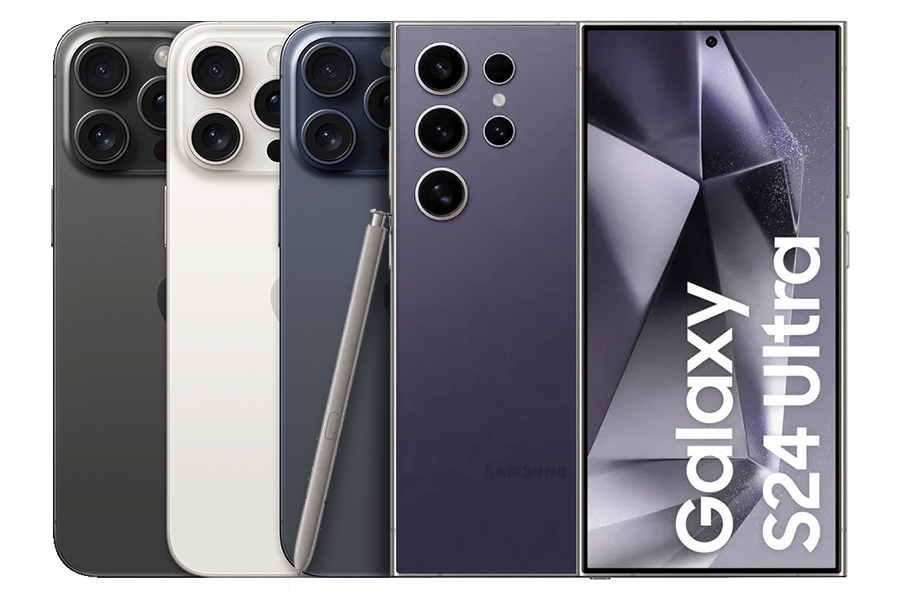
We’re here to help! At Aerial Direct, we specialise in business mobiles for many different types of businesses. We help anyone from schools to large 100+ companies get the technology they need to run efficiently. Apple and Samsung are some of our most popular devices and our sales team can find the optional plan for you.
A business mobile is no longer a nice-to-have. With over 88 million mobile connections in the UK, well over the population total, it’s clear phones are now part of how work gets done (DataReportal). Choosing one isn’t just about a device, it’s about setting your team up with the tools they need to work effectively, wherever they are.
This article looks at how to approach buying a business mobile, what to think about, what to avoid, and how to make your investment count. Whether you’re running a solo operation or looking after a growing team, knowing what to consider will help you make a smarter decision.
Picking the right phone and plan
Not all devices or deals are the same. Start with the platform: iPhones and Androids dominate, with Apple holding around 48% of the UK market and Samsung close behind (StatCounter). Make sure whatever you choose fits the apps and systems you already use.
Next, think about how much data your team will use. 5G is becoming more common, and phones that support it are great for things like video meetings or working on the move.
Security matters too. Look for models with encryption, fingerprint access, and remote wipe functions. It’s worth picking a plan that includes fast support and lets you tweak terms as your team grows. Some providers let you pool data between users, handy if some team members use more than others.
Comparison Table: Apple vs Samsung vs Other Android Devices
Feature
Apple (iPhone)
Samsung (Galaxy Series)
Other Android (e.g. Pixel, OnePlus)
Operating System
iOS
Android (One UI)
Android (Stock or Custom UI)
App Ecosystem
Controlled and consistent
Broad and adaptable
Varies by brand
Device Management
Apple Business Manager
Knox Suite
Depends on brand
Security
Face ID, Secure Enclave
Biometric, Knox Suite
Biometric, varies by device
Integration with Mac/PC
Strong with macOS
Syncs well with Windows
Varies
Price Range
£700–£1500+
£600–£1300+
£400–£1000+
Battery Life
Long-lasting
Varies
Varies
Durability
High, with ceramic shield
Strong, Gorilla Glass
Moderate to strong
Support & Updates
Around 5 years
3–4 years
2–3 years
This breakdown should help you line up your priorities with the device that fits best.
Rolling out business mobiles the right way
Buying phones is only half the story. How you hand them out and train your team matters just as much. Start small: test things with a few users to catch problems early. Make sure everyone understands how to use the tools you’re giving them.
Link the phones into your systems, your messaging apps, finance software, customer databases. Done right, mobiles become a proper part of the job, not just another gadget. Set rules around what’s okay to install or share to avoid headaches later.
Security policies should be clear from the start. Track usage, make sure updates are applied, and have a way to lock or wipe a phone if needed. With UK companies losing an average of £3.4 million to data breaches in 2023 alone (IBM), taking this seriously isn’t optional.
Seeing the results from your investment
If you’re spending money on new phones and contracts, you’ll want to see what you’re getting back. Look for signs like lower phone bills, faster customer replies, or shorter time to close deals.
Staff with the right tools get more done. They can reply on the go, check systems while visiting clients, and move faster than if they’re tied to a desk. According to Radius, giving teams mobile tools can boost productivity by 20% (Radius).
Don’t ignore softer results either. When staff have reliable gear and clear boundaries between work and life, they tend to be happier. Clients notice when your team is organised and professional, it all adds up.
What’s next for business mobiles?
Phones are already a big part of how companies work, and that trend isn’t slowing down. Unified communications systems, better 5G coverage, and eco-conscious hardware are all shaping what comes next.
Most of us now use tools like Microsoft Teams from our phones. In fact, over 70% of Teams app users are mobile-first (TechRadar). That tells you where things are heading: more flexibility, more mobility.
Sustainability is creeping up the list too. More buyers are choosing devices made with recycled parts, or those designed to last longer. Choosing greener options is quickly becoming a business standard.
As 5G spreads, it’s expected to cover nearly 70% of the UK by 2026 (Ofcom), more possibilities open up, like real-time logistics, smart apps, and faster data access.
When you’re planning your next phone buy, think ahead. What will your team need six months from now? Making the right call today saves hassle down the line.
When looking for the best business mobile phone provider, it’s key to evaluate a few specifics before agreeing your next contract. There are a number of commonly used providers for both business and personal mobile contracts; EE, O2, Three, and Vodafone being the biggest players in the market. Their long-standing operations, high number of customers, mostly positive reviews, and their ongoing improvement in the industry propels them above the rest. Despite the option of signing up with the networks themselves, there are benefits for signing up to a dedicated B2B business such as Aerial Direct.
A smaller dedicated B2B business can provide more tailored support and recognise your needs with a high-level of expertise. Working with B2B businesses specifically, the likes of Aerial Direct, can relate to your needs and guide you through your business mobile phone contract sign up, recommending suggestions and giving insight into what other businesses may be using of a similar size.
Typically, the speed and reliability of their connection stays somewhat similar. It’s well worth checking with providers specifically if you’re at all concerned about coverage.
Did you know – 2G and 3G is being turned off around the country. The previously mentioned providers have agreed with the government that they’ll be switching off this level of connectivity by 2033. Find out more in our latest blog. We’ll be keeping this up to date with locations that have been switched off so make sure to regularly check in.
We’ll cover data plans to aftercare – everything you need to know when finding the best business mobile provider.
Business mobile providers are companies whose purpose it is to get businesses setup with a mobile phone for work use. Typically, they provide the handset, calling package, and data plan needed to carry out your day-to-day business.
Why go for a business mobile provider rather than find a normal mobile plan?
Simply put – a business mobile plan is setup for business use. In real life this means that it’s setup for more flexibility and has more capabilities than a typical personal contract.
Tailored plans
One of the main benefits of getting a business mobile plan setup with a provider is the option to have custom tailored plans. Data allowance, handset choice, minutes, texts and roaming allowances are all areas which you can customise so that you can ensure nothing on your plan is wasted and you only pay for what you use.
Data sharing
Data sharing can allow for users to share their data allowance across multiple devices and users. This can be especially useful if you’ve got members of a team who use tablets and mobile devices and may be out of the office, using a large portion of their data or a workforce where team members may share ‘on-the-road’ duties. If that’s the case, data sharing from other users can allow for a quick top-up from their plan which they may not be using.
Clear invoicing
Whether you’ve got a finance department or you’re running the books by yourself or in a small team, clear invoicing can make the process as smooth as possible. Getting your finances in check is key for being charged the correct amount of tax and business mobile providers like to help where they can.
Flexibility and control
Sometimes, through a business contract with a provider, you’ll have an account manager. This will make it much easier to make changes and updates to your plan. You’ll also be able to add new business mobiles to your contract if you so choose.
Typically, to get an account manager, you’ll account will have to reach a particular size. This is usually measured by the number of mobile phone contracts you require. The reason for this is your larger account will likely need some more assistance in terms of the general upkeep and maintenance – data, minutes, texts, new contract additions etc.
What are the most common mobile providers?
There are a handful of providers in the UK which are commonly known for business and private (consumer) mobile contracts. Depending on coverage and what costs you’re looking for, you’re able to shop around and find which may fit your needs the best. The provider themselves usually operates with specific providers. For example, Aerial Direct use O2, Vodafone and EE as their chosen networks.
These providers have been around for decades and have a wealth of knowledge to ensure their customers are looked after and can help them find the best business mobile contract possible. There are several other providers within the mobile space but in comparison, the size of the above providers have them trumped in most areas. It’s not to say they don’t bring their own piece of the puzzle. The likes of Tesco Mobile, Giffgaff and Sky also offer business mobile services so it’s worth looking around and finding the best solution for your business.
Key areas for a business mobile contract
When evaluating your options for a business mobile contract, you’re going to need to factor in a few different areas. These are key to ensuring you choose the best plan possible for your business.
Coverage – You’ll need to make sure the provider you choose has the appropriate coverage for the areas you operate. Whether your staff are office, home, or field base it’s worth evaluating signal in all these locations.
Speed – Depending on the use of the device, it’ll be highly likely that speed will be of high importance. Whilst 4G/5G speeds are common they are not across the entire UK yet, so knowing how far and wide your chosen provider is on this path can affect your decision-making process.
Reliability – Uptime and dreaded downtime are key to ensure you can operate without interruption. Downtime is becoming a smaller and smaller occurrence but it’s still worth factoring in. Research your chosen network to find out how they operate on a regular basis.
Support – We all want everything to run smoothly all the time, but the reality is that at some point, you’ll need some aftercare support. Knowing you can get that support when you need it can be the difference between getting your issue fixed and waiting long periods which could affect productivity and profit loss. Aftercare doesn’t always have to mean fixing problems, you may also just need clarity or assistance with plan changes. Whatever the reason, knowing there’s someone just a message or call away when you need them the most is important.
Finding the best deal for your new mobile
When looking at a new business mobile to use, not just for yourself but for other members of your business, you’re going to need to do some research to identify what your requirements are. As there’s so many different types of mobile, some more expensive than others, you may need to shop around for brand, data allowance and tech capabilities.
Handset – The typical brands which you’ll see on the market when searching will likely be Apple, Samsung and Google. After that, there are other Android models but the mentioned three are the most typical, largely due to the availability and capabilities of the devices. All three are building and developing their devices to be versatile and capable in any situation which tends to mean they are 5G capable, with front and rear cameras for conference calling, and high-speed internals for quick operations while remaining extremely durable.
Data – Most business mobiles from the larger providers will be 5G capable, so the question for you is how much allowance you’ll require. When considering your needs, you’ll have to factor in how much time you and your team using the mobiles spend connected to Wi-Fi and how much time they’ll be on the road using data. The reason for this is because you can find plans ranging from 5GB to unlimited and the price can vary. To get the best bang for your buck, it’s worth calculating your needs and going just over what you’d need to ensure you’re not overspending and wasting your money.
Don’t be afraid to message and email the networks and providers to see if they can get you the best deal for your needs. They’ll be happy to help you get what you need. It’s good practice to see how they are for customer service too!
The differences between a SIM only and handset contract
When identifying your needs, you’ll find you’ll either need a SIM contract or a handset contract. If you require a SIM contract, you’ll already have the mobile itself. This option is typically cheaper. With a handset contract, you’ll get both a handset and the SIM to go with it.
SIM Contract
SIM only, no handset.
Choose your required data allowance.
Generally cheaper.
Handset Contract
The handset of choice with a SIM.
Choose the handset you’d like, the storage size and the data allowance.
Slightly more expensive but you’re also paying for the device itself.
When finding the best business mobile provider, you’ll have the conversation of how many SIMs or handsets you require. They’d happily guide you through the process and get some important information to give you the best deal possible.
Business mobile provider aftercare
Business mobile providers will be able to provide a good level of aftercare in the form of contact centre support or dedicated account managers. The level of support you’d receive would likely depend on the plan you receive and the size of your contract.
Basic customer support
Within a basic support plan, you would receive updates and advice from leading experts from within the provider itself. This will ensure your contract, whether it’s handset or SIM only, runs smoothly and any issues or questions you may wish to get information regarding, are quickly sorted.
Some areas of assistance could include:
Device setup
Data/plan requirements
General questions
Dedicated Account Managers
When your business is large enough to need a sizeable provider plan for handsets and SIMs, you’ll likely get first hand support from an Account Manager. This is to ensure you’re guided through the process, and you get the support you need to get started and have all users setup without issues.
Some areas of assistance could include:
Upgrades
Device setup
In-depth account care
Regular check-ins to ensure you’re happy with your plan.
How to upgrade your mobile contract
When looking to upgrade, you’ve got a couple of options; finding the best business mobile provider you can across the market or upgrading with your current provider. This is entirely up to you and what you require. There are a few primary areas you should consider before upgrading:
The type of mobile you require
Your budget
Your data requirements
The best place to start would be to go to your current supplier and see what they can offer. The reason for this is it’ll give you an idea of what offers are out there. There’s a chance you may even get a better deal to renew when thinking of upgrading.
When upgrading, if you’re looking to do so before your current contract is up, you may need to pay off the remainder on the bill. Some providers can offer a ‘buy-out’ of your current contract to switch to them but that would be a topic of discussion when exploring your options.
Owning a business mobile can be the answer to many issues; working whilst still on the road, replying to customers as soon as possible, checking urgent issues no matter when or where you are and providing the split you need for a healthy work/life balance.
Now a days, there’s many different options for a work phone. You can go as updated as you like with as much data as you need. Providers can tailor your needs to your plan, ensuring you’re only paying for what you need. You’re able to bolt on international use and travel without concern. Get a mobile which caters for just emails and simple communication or go ‘all out’ with the top of the range model featuring high spec cameras and video opportunities.
The possibilities are endless.
Let’s cover everything – from top to bottom. We want to make sure you know all about business mobiles, ensuring you get everything you require. From whom qualifies to general usage to the benefits, our goal is to ensure you’re educated.
Supporting those who are sole traders to large corporations, business mobiles have their use no matter the business size.
A business mobile contract allows you to have a mobile for work use. Depending on the contract you choose, you’ll receive the mobile and data plan of your choice. If you’re in control of the contract you choose, you’ll need to evaluate how much data you may require along with minutes and texts.
Typically, the majority of work phone plans feature unlimited minutes and texts so that’s less of a worry than your data allowance. You won’t want to be out and about then you lose data because you didn’t get quite enough! The usual data allowances offered are 20GB, 50GB or unlimited so the choice is yours.
In addition to the amount of data you require, there are a couple of topics you need to cover when considering your chosen plan; international calls and data roaming. Whilst they typically come under the same bracket, they are different enough to be explained individually.
International Calling
International calling is when you call a phone number which originally resides outside of the country you’re ringing from. For example, you’re in the UK and phoning a number within France or Spain. There are typically additional charges for this. Providers you’re looking in to will be able to confirm their rates.
Roaming
Roaming is when you use your own mobile within another country. You may be on a personal holiday or a business trip with your business mobile but either way, you will need to ensure your plan covers use abroad. Again, the provider you choose will confirm whether this is included in your plan or a bolt-on.
Who needs a business mobile?
A work mobile can be used by many different businesses including small, medium and large. To decide who within a business will benefit from a mobile, there are a few factors to consider:
Who is away from their desk for a long period?
Who doesn’t have access to a desk phone?
Who may need to use their mobile for work use outside of the business premises such as needing to check emails at home?
Who largely works remotely?
Evaluating these factors will provide more guidance into the process of obtaining and assigning your new work phones.
Technology has moved forward at an incredible rate more recently with Microsoft Teams being used on a regular basis. Google Meet is also another platform commonly used. These apps can easily be downloaded and setup on a mobile, allowing for video conferencing from a portable point of view.
Flexibility is a large benefit to business mobiles. It improves the level of communication you can get within a business without too much of an investment. It’s especially useful if you have members of your team heading outside of the premises and talking to clients at their company.
Directors/Management
Sales Members
Project Managers
These are just a small number of possible people who could benefit from the flexibility of a work mobile. Others could even include engineers and support workers, allowing them to navigate between external businesses seamlessly.
Delving deeper into the work of business mobile use, there are a number of people who could benefit on the smaller scale. Companies who operate with 1-4 employees are very common across the UK. These types of companies could be salons, window cleaners, plumbers, carpet cleaners and so on. Thinking of a work life balance, having a mobile which is primarily for business use means at the end of the working week, it can be popped away.
What is the best business mobile plan?
Each business mobile plan can be designed around the company’s needs. You’re able to tailor your plan to feature the phone you’d like and the amount of data you require. There are many different providers to explore for your next mobile plan.
Providers will offer many different models which vary in price. The price differences come from how new the mobile is in release, the data you require and the minutes and texts. When getting in touch with them, you can tailor your needs and come up with a unique price point. Let’s delve deeper into what makes the ‘best’ business mobile plan…
Coverage – If you’re on the road a lot, good coverage is a must, ensuring no drop offs with 4G/5G connectivity in as many places as possible.
Data limits – Get the data allowance you need. Some providers will even allow you to choose a fully custom plan for your package.
Data usage – If you’re looking to setup multiple devices, ensuring they have the data they need is a must. Work with your chosen provider to ensure each mobile is either managed individually or all together, sharing the data usage across the plan.
Price – Getting the best bang for your buck is what most people look for. Even though it is important, aftercare is just as important, justifying the price you’re paying.
Aftercare – High-class customer service can help in question answering and problem solving. Cheap might seem like the way to go but you’re also paying for the experience and knowledge which comes with your provider.
Updating to the latest model – Having the ability to upgrade to the next model is a must. Not only to make the most of the new features but also to show you’re up to date when you’re with your clients. Having an old mobile may come across as being ‘out-of-date’. Don’t forget – first impressions count.
Should I get a phone contract for business use?
A business mobile can allow you to carry out your business without the use of your personal mobile. This ensures all work-related emails and contacts can be kept in a controlled environment, managed by your business. Here is a bit of a breakdown, comparing business and personal use of mobiles…
Business mobile
Personal mobile
Used by professionals likely on the road or moving around the business.
Used by anyone, at home and on the road.
Features business related apps such as Outlook for emails, Microsoft Teams and possibly LinkedIn.
Typically, personal mobiles have personal email accounts, social media and games.
Usually feature unlimited data with the possibility of bolting on data for country travels.
Various data plans to cover the need of the individual user.
Additional differences are…
Billing and reporting – Most businesses require additional capabilities when looking at billing. For personal accounts, it’s a simple payment financial process. For businesses, they will require more advanced billing options such as detailed reports, centralised billing and the ability to split costs across departments and projects.
Additional security – To protect the business’ assets, some business accounts may request improved measures such as being able to lock a device and wipe its contents. This isn’t a standard personal plan capability.
Roaming and international services – Business plans usually offer more in depth roaming and international services. This is because some businesses might need to contact partners and/or customers over seas or across-boarders on a regular basis. Typically, personal plans are on a case-by-case basis.
How do I get a business mobile?
To get a business mobile, the business you work for will supply the device. Sole traders and SOHO businesses can also get a business mobile contract by speaking to suppliers such as Aerial Direct. Signing up to a business mobile contract doesn’t have to be difficult. In fact, it’s simpler than you may think!
It doesn’t matter whether you’re a sole trader or a large corporation, the only requirement is the want to have a business mobile. Especially with O2, there’s no specific requirements to be signed up or registered as an official business. Knowing that, let’s go through the general process for getting a business contract…
Decide which mobile you’d like.
Find out how much data, minutes and texts you would require.
Explore business mobile suppliers and identify which network you’d like to join.
Talk to the suppliers of your choice and explore their pricing.
Sign up to the business mobile plan with your business information; name, email address, current mobile number and business address are the typical fields required.
Go through the approval process and credit check to ensure you’re clear. Not to worry – it’s similar to signing up to a personal mobile contract with a slightly more in-depth background check.
Once complete and you’re given the ‘all clear’, you’ll receive your new mobile in the post.
What’s the benefits of having a business mobile?
By having a business mobile, it allows you to get in touch with clients, receive and send emails and browse whilst on the road. The benefits of having a specific mobile for business are a plenty.
Improved customer service
No matter your location, you’ll always be contactable to assist with customer concerns and help those using your services, take bookings and receive feedback.
Always connected to your office and customers
Using the rear and front facing camera, quickly setup video meetings and conferences or simply have a more personal connection to your customers when discussing your services over the phone.
Improved mobility
They allow flexibility, meaning you’re not locked to your office desk.
Increased productivity
Mobiles now have the capabilities of a powerful computer right at your fingertips. Multi-tasking has never been easier.
Remote working
Work from home or at the office without needing to setup multiple devices at different locations.
Work life balance
Having a business specific device can also allow for a more manageable work/life balance, keeping your personal life separate.
What are the most popular business mobiles?
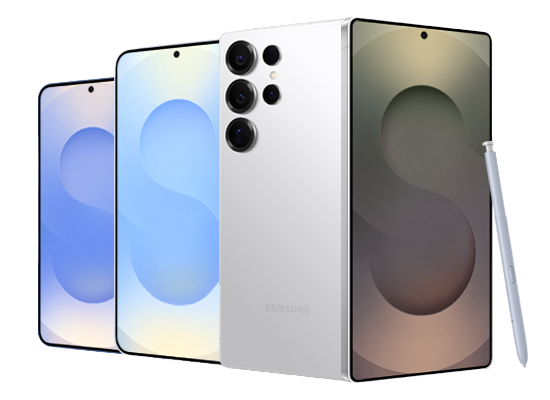
Apple and Samsung are the more popular brands for business mobiles with the iPhone 16 and Samsung S25 being the new models on the market. Thanks to suppliers who can control the device and data allowance, you’re able to get brand new phones for an affordable price.
At Aerial Direct, we’re able to provide some insight into our current most popular devices for our customers. They range from the newest devices to some slightly older mobiles. The reason for the difference is typically down to use. Some businesses don’t require the newest of mobiles, so they’ll go down the more affordable route. It really depends on the requirements.
iPhone 16
Samsung A16
Samsung A35
iPhone 16 Pro Max
Samsung S25
What features does a business mobile need?
Speed, connectivity, security and storage are the primary features for a business mobile. These can ensure for easy use of the business mobile and effectiveness of the device.
Essentials
Increased security
Protect against attacks and online harm.
Long battery life
Operate without the need of charging often.
4G & 5G connectivity
Uninterrupted communications across the board.
Storage
Store photos, videos and apps without concern.
Optional
Camera
Use it for social media or taking photos of your work.
Rough working?
Rugged models are perfect for some tougher environments.
AI capabilities
Ask your smart AI assistance to help with searching and general phone use.
Going cheaper
With so many handsets available, you’re in control of how much you want to spend.
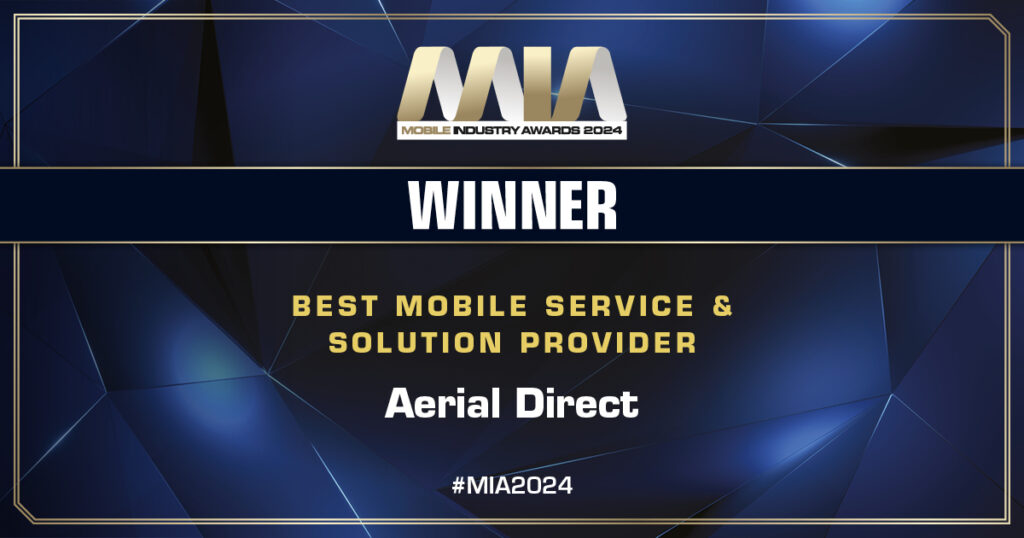
On the 19th of September 2024 at the Royal Lancaster hotel in London, Aerial Direct was awarded the ‘Best Mobile Service and Solution Provider’ at the 2024 Mobile Industry Awards for the 4th consecutive year!
We are tremendously proud to be recognised by the judges for four consecutive years, highlighting our consistently high standards and focus on delivering a great service to our customers. To add to our accomplishments, we were also finalists for the ‘Best Customer Service’ and ‘Best Place to Work’ categories.
“Winning this award for 4 years is an incredible achievement for Aerial Direct. Looking back to our first win in 2021, you can clearly see how much the company has moved forward. We work tirelessly with our partners to deliver the best customer service and product solutions for our ever-growing customer base. This is also a testimony to the hard work our teams put in, leading us to accomplish this milestone” says Jason Phillips, Chief Operating Officer at Aerial Direct.
The event hosted by online publication Tech Radar Pro, brought together the leading brands in the mobile industry, showcasing excellence and innovations in communications technology and customer experience. We thank the independent judges for recognising our hard work and growth in 2024 and acknowledging Aerial Direct with this award for the fourth time.
Congratulations to all the other MIA winners and finalists in 2024, it is an honour to be considered amongst the very best in the industry. Our attention now turns to awards celebrating success in our local region, our final 2 awards of 2024 – the Business Magazine South Coast Tech & Innovations Awards and the Hampshire Business Awards.
In order to free up radio airwaves for the quicker, more energy-efficient 4G and 5G services, mobile networks all around the UK will gradually start turning off their 2G and 3G networks.
Currently, there are four generations of technology: 2G,3G, 4G and the very latest, 5G. During the 1990s, second-generation technology was rolled out, which was then followed by third-generation technology in 2023. Still, the 4G and 5G networks that were introduced in 2012 and 2019, respectively, has made the previous generations seem outdated.
Why are they shutting down?
Cost savings: As technology develops and progresses, maintaining networks spanning several generations is becoming increasingly costly. The continuous upkeep and support of a legacy network takes money and resources away from more recent networks. This may allow current mobile network providers to lower their operational expenses by decommissioning older networks while focusing on improving the current 4G/5G networks on offer.
Customer demand: As most customers and businesses increase their demand for faster service and data connections, they expect quick and reliable connections with minimum latency. As this demand increases, mobile providers are required to meet these demands, and in doing so, shifting their priority to the newer generations of technology (4G/5G) and decommission prior technology services.
Who’s shutting down: The four main mobile network providers in the UK, Vodafone, EE, Virgin Media O2, and Three, are discontinuing their 2G and 3G services. Since these networks are used by all other cell companies to supply their services, they will all be shutting them down as well.
3G Switch Off Updates
Durham – Switched off in April 2025
Norwich, Telford and Guildford – Switched off in July 2025
Torquay – Switched off in August 2025
To address any queries or worries regarding 3G deactivation, kindly get in touch with your cell service provider.
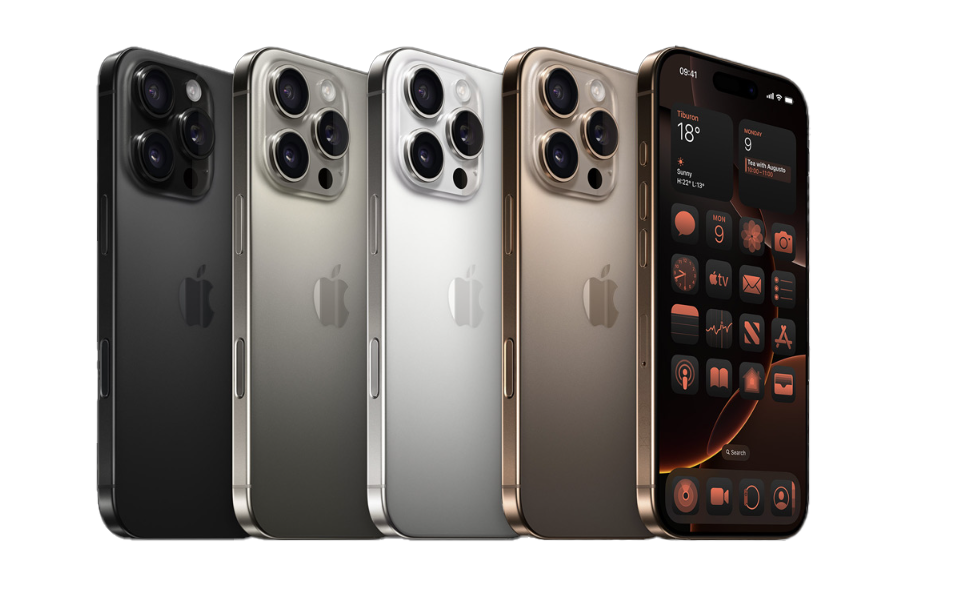
If you’re looking for a new mobile, check out the iPhone 16 range today.
Get ready for some fresh hardware as we break-down the long-anticipated iPhone 16 range from brand new designs and iPhone 16 features to the new iOS 18 and Apple Intelligence.
The Design
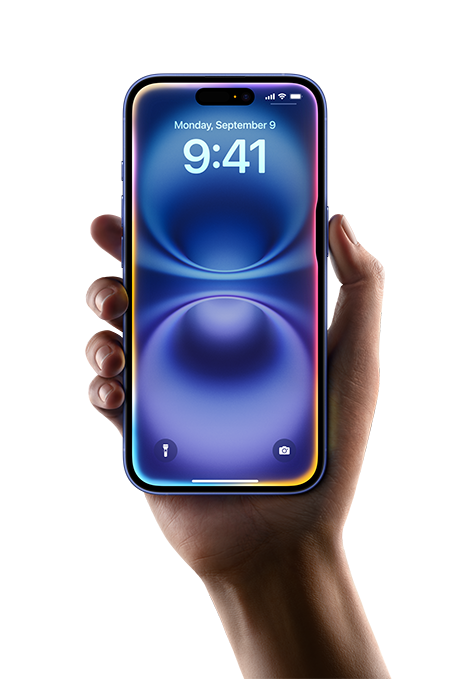
The brand-new iPhone 16 and iPhone 16 Pro ranges have finally arrived. If it’s a faster working phone or simply an upgrade in photography, the new iPhones have the advances you need.
The new iPhone comes with more features and upgrades from its precursor, the iPhone 15. With the previous Pro Max size sitting at 6.7 inches, the new iPhone 16 Pro Max sits at 6.9 inches, allowing for more visual spacing to explore the iPhone the way you need. Subsequently, there is a 2-inch difference in the Pro models, with the iPhone 15 Pro sitting at 6.1 inches and the iPhone 16 Pro sitting at 6.3 inches.
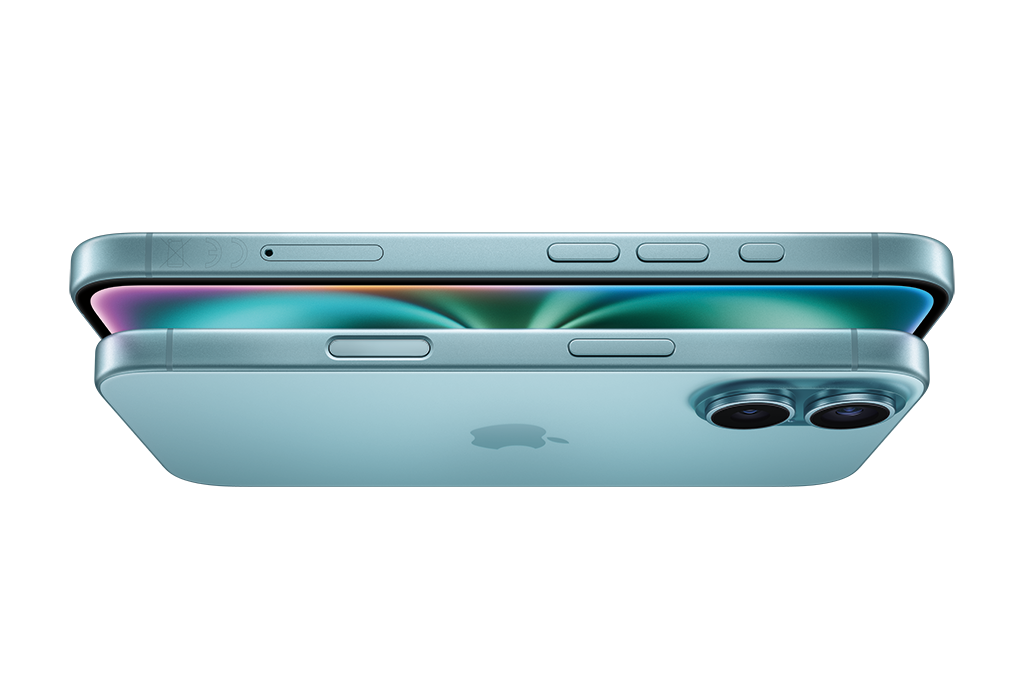
Alongside the new sizes comes the new haptic button, exclusive to the new iPhone. For those who pride themselves in photography – hobby or professionally, the new button allows for quicker camera control, an easier way to capture pictures within the moment and increased access to photo and video tools.
Adjacent to the new haptic button, Apple has further increased the technologies behind the camera across the iPhone 16 range. The Pro Max and Pro have the most features such as:
Pro camera system 48MP Fusion | 48MP Ultra Wide | Telephoto
Super-high-resolution photos (24MP and 48MP)
Dolby Vision up to 4K at 120 fps
48MP macro photography
Optical zoom options: .5x / 1x / 2x / 5x
… and more.
The iPhone 16 and 16 Plus also have a huge upgrade in their camera features. The new baseline for these models are:
Advanced dual-camera system 48MP Fusion | 12MP Ultra Wide
Macro photography
Optical zoom options: .5x / 1x / 2x
Features
Apple has developed brand new ground-breaking technologies to advance into an improved technological era of iPhones. Development into operating speed means the brand-new A18 chip is a huge step up from the A17 predecessor.
In addition to the new chip, the iPhone 16 is the first to have 8GB of RAM and a 4GHz chip, allowing for the fastest processing speed Apple has created, enhancing the iPhone 16 features.
iOS – what’s new?
Apple Intelligence
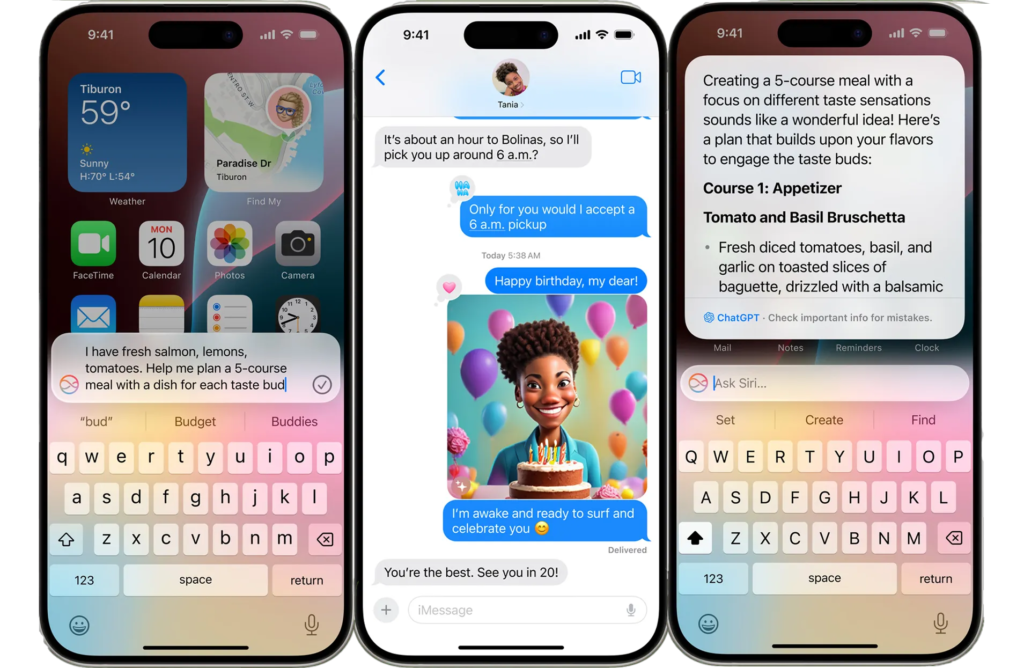
With the release of the iPhone 16 range comes Apple Intelligence*. Allow yourself to be immersed in the personal intelligence system that can help you write, express yourself, and get things done effortlessly. The new Apple Intelligence will enable you to take any business meeting or conference notes and effectively summarise important key highlights to be shared with important stakeholders. With the brand-new Writing Tools, you can use the AI feature to help restructure crucial emails and identify the perfect phrases for your writing. With improved linguistic capabilities, you can quickly recap any conference or business meeting, cutting down on pointless distractions and giving priority to crucial notes and alerts.
*Released in the winter
IOS 18
Also released with the iPhone 16 is iOS 18 – the new software for iPhones compatible back to the iPhone XR. The new update has improvements to the following iPhone features:
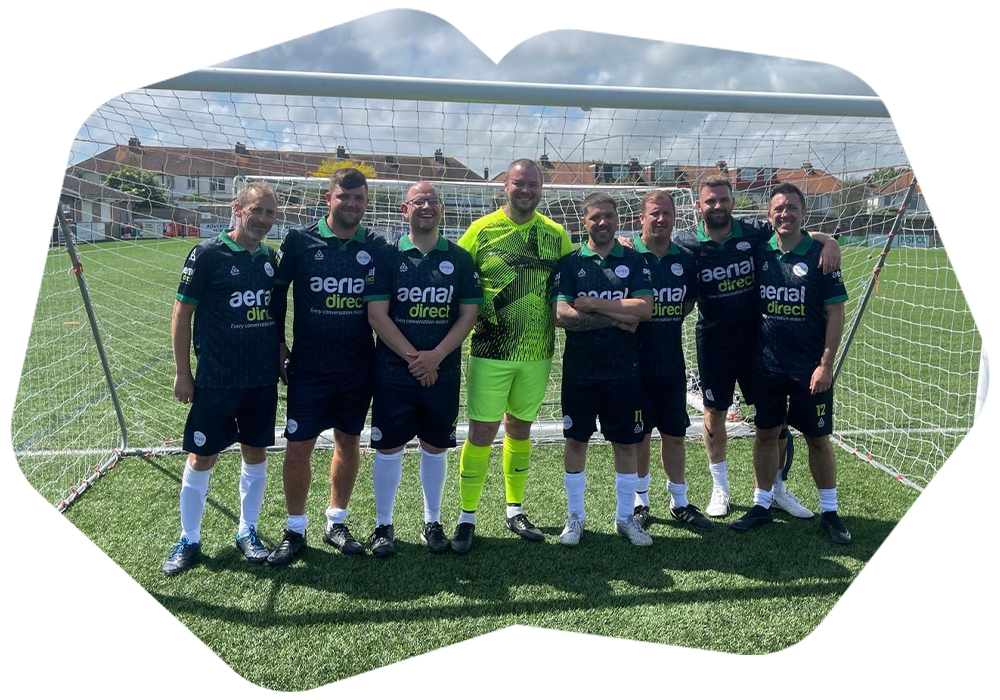
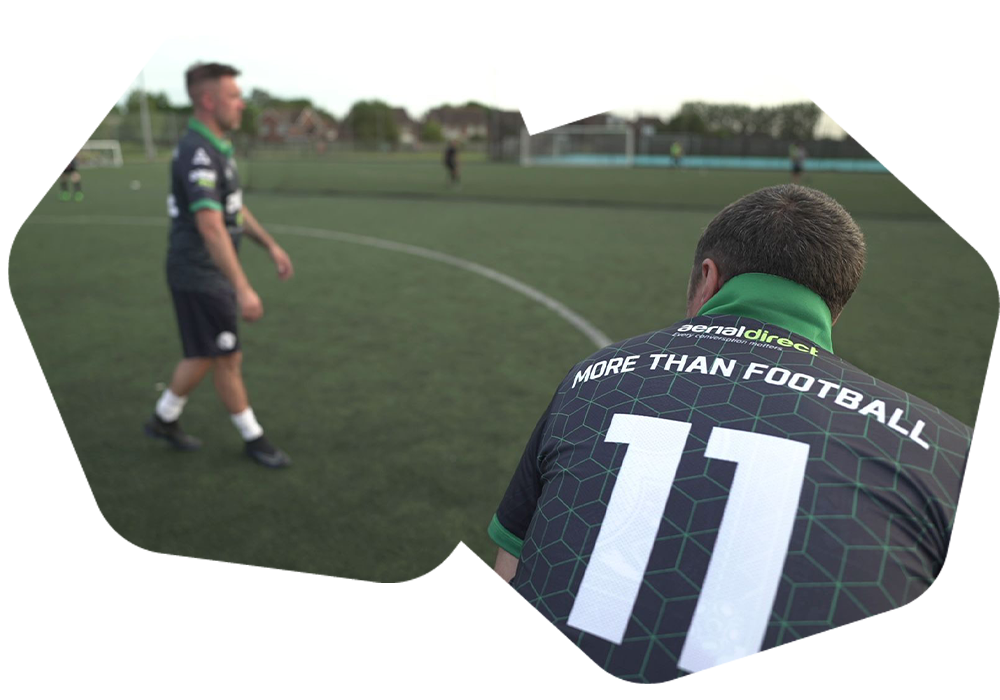
Aerial Direct are proud to sponsor Bognor Regis-based charity football team ‘Monday Night Football (MNF)’ with a full team kit sponsorship to help raise men’s mental health awareness. The team is a long-time supporter of the charity ‘More Than Football’ – a project created by Brighton and Hove Albion Foundation that focuses on boosting men’s mental health through football and friendships.
In 2019 UK mental health charity Mind’s 10-year report between 2009-2019 highlighted that the number of men experiencing suicidal thoughts when feeling worried or low doubled since 2009, reaching 10%.
Sponsoring the MNF team presents an opportunity for Aerial Direct to promote mental health awareness and to engage with the community. Aerial Direct employ over 270 staff across the South Coast and have raised money to support mental health charities and invest heavily in their staff wellbeing. Furthermore, it was an employee who first introduced Aerial Direct to Monday Night Football and this sponsorship was a natural progression.
‘Our goal is simple, to get more guys off the sofa from home to join us in a friendly match and share experiences with each other. Everyone has a story; everyone has gone through challenges and so many are struggling.
We want them to know that they’re not alone, they can let loose through a fun game of football and talk to others about anything.’
Andrew Bracegirdle, MNF team member and Aerial Direct employee.
As part of their support for MNF, Aerial Direct designed a bespoke, high-quality football kit with company branding for the whole team to use. The kit has now graced the pitch for the team’s second charity tournament and have made a media appearance on England Football’s YouTube channel.
‘As a company we have a responsibility to take care of the people behind our success, as well as supporting our local community. It’s all too easy for us to go through the day and miss the signals of a co-worker or a friend who is struggling. The opportunity to work with Monday Night Football is a reminder to us all to encourage conversations about the challenges we all face. Turning up and playing is a powerful way to create a supportive community for men that might not have the opportunity to talk to anyone else.”
Jason Phillips, Chief Operations Officer at Aerial Direct.
About team
‘Monday Night Football’
Team MNF brings together 15-25 men every Monday night for a friendly match with the sole purpose of supporting each other. What started as a programme organised by the foundation in September 2022 has now grown into a locally established team with a mission to promote active movement and socialising for men – making new friends, sharing stories and experiences to help one another through personal challenges. The team are actively involved in the Brighton community, featured in local and national media and campaigns including ITV News, Meridian TV and the NHS’s 75th Anniversary campaign.
‘Our current members love coming to play football, some say that it is the highlight of their week. What we’re doing here is not only about mental health but also physical health – if you feel good in your body, you’d feel better in your mind.’