Choosing a business mobile plan may sound expensive and it doesn’t have to be – that’s just one of the business mobile myths we’re busting. It’s easy to get caught up on myths but coming from us – we know what’s legitimate. Myths can lead you down the wrong path quite quickly so our job in this blog is to guide you down the correct one. Let’s get into it…

Myth 1: Business mobile plans are only for large companies

This is one of those that doesn’t have any kind of credibility, but we’ve heard it countless times. “Business mobile plans are only for large companies.” – we can safely say, that’s not true.

 Whether you’re a sole trader or run a small or medium-sized business, you qualify. Whatever your business, your calls, texts, and emails matter—and it makes sense to keep them separate from your personal life. That’s why having a dedicated business mobile isn’t just practical, it’s essential.

Myth 2: Unlimited data is always the best option

Unlimited data might seem like the best option to default to when you’re searching for plans but there’s a bit more to it. Whether you actually need unlimited is where you should start. Ask yourself this:

  • How much data do I and my team use per month on average?
  • Do I and my team work more in an office which uses Wi-Fi?
  • Are you planning to expand in the future and need unlimited data to support that growth?

By figuring out these, you’ll have a better understanding of what you require. Analyse your standpoint before signing up as you could be saving a pretty penny by only going for what you really need. There’s no need going over the top and paying for more than you need if it’s not necessary.

Myth 3: Business mobile plans are always more expensive

It’s easy to assume that a business plan will cost you more than a personal one but that’s not always the case.

In many cases, a business mobile plan can offer better value through benefits, such as data sharing, multi-user discounts and additional support you get from a business mobile plan provider. Per user, this is where you can make the savings.

You’d be surprised about the level of coverage you receive from business mobile providers too. Quick tip – always check a providers coverage using Ofcom’s mobile checker [link] to ensure you’re not left without data when you need it most.

Myth 4: All mobile networks offer the same coverage

As we’ve touched upon within the previous business mobile myth, coverage is an important part in your decision-making process. You may be surprised that coverage differs from one provider to the next so, check before you buy.

One provider may perform better within a city, being optimised for heavier amounts of data traffic in one place, and another provider may be better for all-round coverage.

As mentioned, give Ofcom’s mobile checker a go. But before you do go signing up and finding a new provider, be sure to identify where you’ll be working most:

  • At home
  • At the office
  • Customer sites
  • On the road

Figure this out, match it with provider’s coverage and you should be good to go.

Myth 5: Once you sign a contract, you’re stuck

It’s right to think that a contract would involve a level of commitment, but it doesn’t mean there’s no flexibility. So, in simple terms – no, you’re not stuck.

The business mobile myth of it seeming like you can’t do anything once you’ve signed the dotted line isn’t correct as, in most cases, you can do a range of things:

  • Add users
  • Upgrade data
  • Upgrade devices

The level of flexibility would depend on where you go, but it’s worth checking before you sign that you’re comfortable with your agreement. If something is unclear, feel free to ask for specifics.

FAQs

A business mobile contract is a mobile plan designed for work use. It can include calls, texts, data, devices and account features for one or more users.

Yes, of course. Business mobile plans are available for sole traders, small businesses and medium businesses, not just large companies.

Not always, but they can offer better value depending on your needs, especially if you need multiple connections, shared data or more account control.

You can by transferring your number to a new provider using a PAC code.

Look at coverage, data allowance, monthly cost, contract length, support, device options and how easy it is to make changes later on.

Need a new business mobile? Feel free to get in touch with our expert team who can assist you with a custom quote.

Are you wondering how to upgrade your business mobile? Our host Calum Lintott is joined by Guy Golding, a Mid-Market and Corporate Account Manager with over a decade of experience, to walk you through everything you need to know. From when to upgrade to what’s required for a business contract, watch the video below for the full guide.

When to upgrade, the breakdown

  • The requirements you have in a business mobile contract. Are you looking for a SIM-only contract or are you looking for the full package – handset and SIM together?
  • How long do you think you’ll need your contract to last? Maybe you’d prefer a rolling monthly agreement to a fixed term? It’s up to you.
  • Need some help? We’re always happy to lend a hand.

Getting a SIM-only or handset contract

  • Review your current mobile setup and see how you want to proceed. Are you already on a SIM-only plan and have your own mobile? You may be choosing to get a brand-new handset for strictly business use. See what you’ve got and see where you want to be.
  • If you’ve got your own handset, it could be your personal mobile or a business handset that is paid off, you may want to stick to that for lower costs but if you need something newer, a new handset contract will do you some good. There are usually some good deals about. We certainly offer some good deals as an official O2 partner.

The sign-up process

  1. You’ll have a chat with a business mobile professional who will help you identify your requirements.
  2. Look at costs and going through what you’ll be paying and for how long.
  3. Once you’ve found what you need, you’ll be sent an agreement to sign.
  4. Once agreed, your SIM and handset will be sent out and heading your way.
  5. When you’ve got it, it’ll just need quickly setting up and you can be on your way, chatting to customers or clients and organising your business communications in no time.

What’s needed for a business mobile contract

Guy outlines what goes into a business mobile contract, giving you full clarity before you dive in. He explains what you need to think about, the needs you have and how everything is setup, especially if you’re requiring a bespoke package. Again, we’re experts in that field, offering bespoke packages to fill your every need.

The Account Manager journey

If your account is large enough, you may be given your very own Account Manager. This makes the process easier if you’re looking to get a number of SIMs or handsets as it can be kept nice and tidy under one person. If you need a smaller solution, our amazing customer service team are perfect as they can slip into your account and assist, whether you’ve spoken to that particular agent before.

Take a look at our short video below for the full breakdown with Guy Golding. If you’re looking to get your very own business mobile, or SIM, get in touch and we can give you your personalised quote. Talk to you soon!

Does the thought of network providers seem a bit overwhelming? It’s right to think the UK telecoms market is quite saturated but it is in fact quite manageable once you know what you’re looking at. The first question you may ask yourself is – ‘…but who offers the best service for a good price?’. There is in fact more to it than that. We’ll give you a hand on understanding the market and what you should look out for. Sit back, relax and enjoy the read.

Meet the ‘Big Four’

The largest players in the game are ones you’ve almost definitely heard of. They’re the ones who made breakthroughs, developed the telecoms market and established what we now consider to be the standard for not only personal mobiles but business communications too. It’s worth knowing what they’re up to as it’ll help your understanding and deciding who to choose.

O2

A recent merger with Virgin Media, called Virgin Media O2, has meant they control an incredible portion of the market. With that in mind, they want to look after their customers as best they can by focusing on perks and flexibility.

The widely known O2 Priority scheme, offering early access to tickets and discounts, is quite a desirable selling point for most. More importantly to the business world, they offer great flexibility when you need it most. Tailor your plan by adding or removing handsets or SIMs when you need. Coverage isn’t something to forget either. Virgin Media O2 now covers 99.6% of the UK’s population which is, without a doubt, one of the best from the larger market leaders.

Satellite

You may have seen our news post about the O2 Satellite launch, but if not, let’s catch you up. On the 26th February, O2 partnered with SpaceX’s Starlink to be Europe’s first satellite-to-mobile service. At the time of launch, some select Samsung Galaxy models were compatible, but they’re focusing on branching out the compatible models and bring more customers into a new world of connectivity.

EE

EE is owned by BT Group and features an impressive coverage of data across the country. In 2026, EE boasts an impressive coverage rate of over 99% across the UK’s population. Now, pick your jaw up off the floor and listen to this – they even have an incredible 5G experience, meaning you don’t have to worry about poor data reception in more rural settings or in highly populated areas, such as London. They’ve gunned for stability and coverage as their main selling points.

Three

Similar to EE, they’ve put an incredible amount of attention into the 5G roll out. Knowing the customer base size they have, they wanted to ensure they cater to their base and more, meaning their infrastructure is truly cutting-edge., and at a great price.

Their constant offering of deals and high data plans means you can get online, browse and work to your hearts content. Value for money is difficult to ignore.

Vodafone

If you travel a lot or need flexibility from country to country, you’d have heard of Vodafone. They have an array of roaming options available at the touch of a button. If your work takes you overseas, then you’ll want to make sure you go with the right network provider.

Vodafone is also a top choice if you spend a lot of time in major cities across the UK. They’ve focused a lot of their time improving and optimising their network for urban environments. They want to negate the drops when you’re in built up places, ensuring their customers aren’t interrupted when they need their mobile the most.  

What about the other providers?

We’ve spoken about the larger guys but you’re probably wondering where the other providers are, like Tesco Mobile, Sky Mobile or us! Enter the Mobile Virtual Network Operators, or MVNOs. While MVNOs might be less well-known, they play a crucial role.

The likes of us use the larger network as the background hardware and we look after the customers and offers whilst we leave O2, EE, Three and Vodafone to continue their work on infrastructure improvements. As we don’t have to fund the improvements ourselves, we can usually hand out better deals. As O2’s largest partner, we leverage their nationwide coverage and offer our customers exclusive perks and tailored deals.

Here’s a bit of a breakdown on who powers who…

  • EE: Plusnet Mobile, BT Mobile
  • Three: SMARTY, iD Mobile
  • O2: giffgaff, Tesco Mobile, Sky Mobile
  • Vodafone: VOXI, Asda Mobile

How to choose the right provider for you

Now you know the difference, how are you meant to choose for your business? While we do offer tailored solutions, we’ll give you impartial guidance so you can choose the right fit for you. That way you can come to your own conclusion which best fits you.

grey globe with green lines surrounding it

Step 1: Check your local coverage

It’s all well and good telling you about the national statistics but it’s no good if you can’t get signal where you’re based. It’s worth checking the mobile coverage checker on Ofcom’s website. We recommend it all the time when talking to customers.

4 bar connection icon

Step 2: Assess your data usage

How much data do you think you use? If you’re spending a lot of your time connected to Wi-Fi, you probably won’t need to go for a high allowance. If you’re finding yourself on the road more often, you don’t want to run out. Budget and ensure you don’t over do it with the data. Why spend money when you don’t have to.

grey mobile phone icon with a green plane

Step 3: Factor in your travel habits

Roaming is one which can catch some people out, building up a bunch of additional costs for using your mobile outside of the UK. This might not apply to you if you’re a smaller UK-based business but the larger ones, who travel, will need to consider your roaming plans. Different network providers offer different allowances when it comes to roaming so check costs and the countries they cater for when signing up.

grey phone with a green pound sign on the front

Step 4: Decide if you need the latest tech

5G has been a common topic of conversation in the telecoms world for a little while now. It might not mean much to you, but you’ll notice it when it drops. Analyse the network providers of your choosing and see where they stand on their development into 5G to make sure your data doesn’t drop out when you need it most.

Depending on your handset, it’ll likely be 5G compatible but it’s worth a check anyhow. There are some people out there still using older devices for SIM only deals but they could max out at 4G. An upgrade could be on the horizon for those people.

Time to make the switch

You’d be surprised how easy it is to switch network providers. We can of course give you a hand. With our professional team, who work with O2 and EE closely, we can offer you the most up-to-date handsets and optimal SIM plans for your requirements. It doesn’t even have to be up-to-date devices, some recent research we carried out, we noticed our most popular devices of 2025 weren’t even the newest! Take a look for yourself if you’re interested. Otherwise, feel free to get a quote.

Your business mobile is more than just a device; it’s the key to your business whilst on the road. It’s basically a laptop in your pocket that can take calls, plan your next meeting, talk to customers and have access to your emails. Getting your mobile strategy right is essential these days. Miss the mark and you could be out of pocket, paying too much and being inefficient – which nobody likes.

This guide is purposefully built to help you navigate the world of business mobiles including the ‘need-to-knows’, how to setup your mobile, exploring the market for offers and keeping track of your arsenal. Whether you’re a small business with just one mobile, or you’re a medium to large business that has many, we should be able to give you a hand and take some of that load off. Let’s get started. Want to skip to a particular section? Use the handy navigation below.

Navigation

  1. Why get a business mobile?
  2. Samsung vs Apple: Which is better for business?
  3. The difference between network providers
  4. Best apps for your business mobiles
  5. How to upgrade your business mobiles
  6. SIM-only or handset: Which is better for business?
  7. How a poor business mobile plan can affect your business
  8. Top 5 business mobile myths

Why get a business mobile?

You may be wondering if a dedicated business mobile strategy is really necessary – don’t worry, we’ve heard it before. Working in the industry, we’ve helped a lot of businesses from various markets get on track to streamline their business mobiles. While using a personal mobile might be your current way of doing things, we’d like to suggest for you to consider otherwise. It’s worth getting a business mobile – we promise. It’s more than just making calls, it’s about creating a secure, professional and efficient system for you and your whole team. The benefits outweigh giving out your personal phone number.

Streamlining communications

A dedicated business mobile plan brings you and your team’s communications under one roof. Instead of juggling personal phone numbers and work contact information, everyone has a clear and professional line of communication. It’s not just easier for keeping track of your employees but when a client needs to be contacted, or has asked for a point of contact, it can be handed out with ease, centralising the whole system to business-managed numbers, taking out the headaches and keeps it all in one trackable place.

Looking professional

First impressions count. If you’re using your own mobile and mobile number, the merge of personal calls and business calls may get a bit cloudy. Whether it’s an existing customer or new, ringing in, you’re going to want to give them the professional ‘hello’ rather than the one you give your friends on a weekend. Having a business mobile for yourself and your team allows for consistency, credibility and it shows you’re an established business which takes communications seriously.

Improved efficiency

Business mobiles are tools for getting work done more efficiently. Setting up your mobile in the right way, with the correct apps, you can work from anywhere without any form of interruption. This is especially key when you’ve got an optimal SIM and data setup to boot. We’ll come on to that further down the article. The flexibility that a business mobile gives you isn’t comparable to the office-bound way of working as it can allow for travel and working remotely without requiring a full desk-phone setup.

Cost management

Nobody likes having to deal with expense claims. This could be the case if your team are using their personal mobiles – they’ll want the calls and data back that they used for business use. A business mobile’s sole purpose is to be owned and set up by the business. You can choose the handset you want, the data plan you want and the bolt-on packages you want when setting up new devices with a network provider. The predictability of setting up new devices makes planning your financials a lot easier.


Samsung vs Apple: Which is better for business?

The big debate of the 21st century: what’s better – Samsung or Apple? Samsung and Apple both have mobiles which are well-suited for being used in business, it more depends on an individual’s preference. Think to yourself: what have you used before and would you consider switching? They both have powerful features that they bring to the table so let’s break it down.

Performance comparison

When you look under the bonnet, both Samsung and Apple pack a serious punch in terms of performance. It really depends on what you’re looking for in your mobile of choice.

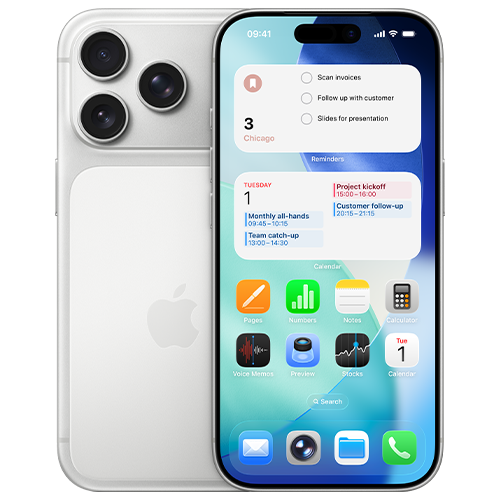
iphone 17 pro
samsung galaxy s26
  • Samsung – The Samsung devices on offer have impressive processing power, either with their top-of-the-line offering named the ‘Snapdragon’ or their in-house processors named ‘Exynos’. Outside of the tech talk, they’re basically really quick and can handle more or less anything you can throw at them. Samsung also tends to offer more RAM which also contributes to the overall speed of the mobile. This is especially important if you’re wanting to carry out a larger-than-normal amount of multitasking.
  • Apple – The more recent Apple line up features their top-of-the-range A-series chips, designed in-house by Apple. This allows for seamless integration between their hardware and their iOS software, resulting in a super-smooth and responsive user experience.

In short, they both offer an impressive level of tech. Let’s have a look at their compatibility next.

Hardware and software compatibility

Compatibility can be some people’s major decider when thinking about their next business mobile.

Samsung, as it runs on Google’s Android operating system, offers more of an open ecosystem when it comes to day-to-day operations. This allows for a higher level of control and flexibility when connecting to Google workspaces and other third-party apps. It’s especially important if you rely heavily on those apps.

Apple is a bit more ‘locked down’ in comparison. More of a closed system. This means their hardware and software are tightly controlled by Apple themselves and can’t be customised in many ways. It does however mean it’s trustworthy, reliable and creates a friendly user experience across other Apple products. If your business already runs on Apple primarily, it’ll be a no brainer to go down the Apple route again. We find this when speaking to our customers – they typically prefer to stick to what they know. Just a little bit of insight for you.

Security features

Samsung has put lots of time and effort into its Knox platform. This is what is in place to protect your business mobile and the content within it. Designed to work quietly in the background, Knox is there to be a barrier to those threats you don’t want to have to deal with because we all know how annoying they can be when they show their face. The way Samsung has designed their security also means it’s easier to control what you need, going back to their open ecosystem. IT teams can fully protect and monitor mobiles with more ease.

Which brings us on to Apple. You’d think having a closed ecosystem would mean you’re not able to see and protect your business mobiles how you want but in fact, a lot of the work is done for you. Apple have built their platform to be trustworthy and protected right from when you set it to downloading various apps from their app store. The closed nature, combined with Face ID and Touch ID, protects your device right out of the box.

Value for money

Which option gives you more bang for your buck, you might be asking? Now, with the options available to you and depending on if you’re looking for a top-of-the-line model or a cost-effective option, it’s completely up to you with how much you want to spend. Both Samsung and Apple produce attractive lineups which allows for buyers to choose how much they want to spend based on the features they require.

Samsung offers a wide range of devices at various price points, from premium models to budget-friendly. This gives you full freedom to spend what you want.

Apple typically has higher price-point mobiles, but they do hold their value for an exceptional amount of time. This resale value and their overall longevity can mean you have a decent value mobile to trade in when it’s upgrade time.


The difference between network providers

Deciding on the handset you want is just one piece to the puzzle. The next and arguably more important piece is choosing a network provider as it decides how you’ll actually operate. From an aerial view, it might seem like all networks offer basically the same, however, that’s not the case and you’ll find that out quite quickly when having a look for yourself. Saying that, you’re probably wondering what you should be looking out for when browsing networks?

Coverage and reliability

Think of network coverage as the foundation of your business mobile plan. What happens when your team can’t get a stable connection? You’ll find out quite quickly, that’s for sure. There will likely be troubled employees and annoyed customers as far as the eye can see. We hate to say it but that’ll transfer into loss of revenue if that’s the case and nobody wants a problem like that!

Luckily, different network providers have varying strengths around the country. Some might be better than others where you are. It’s always worth checking before you start seriously looking as it could quickly cut some off your list if they’re not too reliable in your area. Luckily, Ofcom have a mobile signal checker which you can find on their website.

Data speeds

Nobody would want slow data speeds. As of recent, many providers have taken to offering 4G and 5G as standard. Network providers have even been working on turning off 3G as it didn’t offer much in the way of speed or reliability. You’ll find when exploring the market, 4G and 5G is the new standard so signing up to one of those data plans will give you the best chance of staying online no matter where you are.

Different available plans

We won’t hold you to knowing what you fully want from your business mobile plan, but we’ll help you figure it out. Network providers offer an overwhelmingly large number of business mobile plans in the form of handsets and SIM-only offers. It’s completely up to you what you choose. It’s fair to say, they’re not always built the same, especially when comparing a personal plan to a business plan. Business-specific tariffs often come with more perks such as data sharing across devices, international roaming, device insurance and sometimes dedicated account management, which is usually reserved for the larger accounts.

Plan expansion and other additional costs

All business owners hope for expansion and the last thing you’d want to worry about is not having enough business mobiles or SIM-only plans when that time comes. As you hire new members, you’ll need your plan to grow with you. It’s worth looking for a network provider that can assist with your expansion and can offer benefits such as flexible plans, clear pricing structures, caps on out-of-bundle spending.


Best apps for your business mobiles

Clogging up your home screen on your phone is one of the most annoying things to sort out. Have you ever stopped to think which apps are required and which you can safely delete? Choosing the right apps can completely transform your way of working and streamline the workload, especially if you’re matching the apps used with your team – seamless transfers and daily operations without the hassle.

Cost comparison

Some apps are free (those are our favourites) and some are paid for which have subscriptions ticking away in the background. It’s incredibly easy to lose track of monthly app costs. When selecting apps which you’ll use on your business mobile, it’s recommended to really put some thought into their cost and whether there’s a way to consolidate multiple apps to save on subscription costs.

  • Licensing: Do you need to get an expensive enterprise plan, or will a basic plan do the job? Only get what you need.
  • Consolidation: Do you need multiple apps to do the same job? Find an app which can do it all in one.

No matter your outcome, make sure to take note of the subscription outgoings and review them every once in a while, to ensure they’re still needed. If not, it’s worth looking at cancelling them.

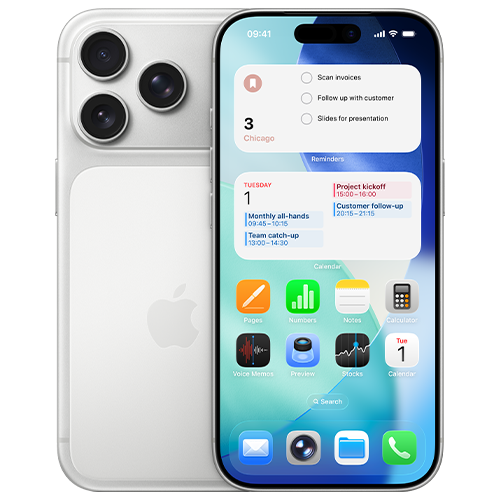
iphone 17 pro

Flexibility

Flexibility is key. This is the case with the apps you use too. Does your current app lineup let your team work smoothly from anywhere; on a train, in a coffee shop or whilst they’re at home? By choosing reliable, cloud-based applications, you and your team can access whatever they need with ease and experience no interruptions. It makes collaborations much easier.

Scalability

As we’ve touched on before, businesses scale and the technology used needs to scale at the same pace. The apps that you use, it’s worth noting whether you can upgrade the access to them smoothly. Just a few clicks would be ideal. There are also apps which allow you to change your access on the fly, meaning when your requirements increase, you can pop into the app and upgrade your plan at the touch of a button. We recommend thinking of these things now so it cuts out the headache you could face down the line.


How to upgrade your business mobiles

It might feel like a complicated or long-winded task to switch your mobile provider and upgrade your business mobiles, maybe even a bit overwhelming, but we’re here to handle that stress for you. It doesn’t have to give you a headache. With some strategic planning, and some assistance from us, you can easily transition your team to newer mobiles or improved data plans without any additional stress.

Why upgrade?

Are your current business mobiles struggling with holding charge or perhaps they’re feeling quite slow. It happens. Old tech can be frustrating, as we all know. When that happens, it’s probably the best time to start upgrading your hardware. By upgrading your tech, it provides the best chance for yourself and your team to maximise efficiency and not have to pointlessly worry whether the mobile can keep up. The secondary benefit of a new mobile can also mean sharper cameras, longer battery life and important security improvements such as touch ID or face ID.

Timing of the upgrade

The timing of the upgrade can be just as important as the upgrade itself as if you don’t time it correctly, you may face some issues. So, when is best to make the switch to a newer piece if kit?

  • End of contract: Keep an eye on when your contract comes to a close as you could be up for an upgrade anyway.
  • End of financial year: If you’re nearing the end of your financial year, you may have some additional budget to use before it’s too late.

Device performance issues: If there’s constant talk of slow mobiles or hardware issues, it’s worth getting that sorted ASAP.

Choosing the right plan

There may seem like a massive number of plans which you could go for but it’s always worth evaluating your current usage to make sure you don’t get unnecessary data as that’ll waste money. It’s all about choosing the right plan to match your use. If your team work remotely and uses cloud apps, you’ll have to make sure you cater for their data needs. Office staff won’t need nearly as much as they can rely more on Wi-Fi so you can save some pennies on small packages. Different network providers offer different plans at different price points so browse around. It’s the best way to find a good deal.

Data transfer and setups

That last thing you’d want is to juggle the move of contacts, emails and other important files to another handset. Luckily, mobile manufacturers have made it much easier to do so, without the stress. Cloud backups mean you’re able to sign in to another mobile and restore a backup. It also gives you a chance to have a start fresh with your apps. Only download what you need when you need it as it’ll give you the best chance to keep your mobile in tip-top shape for longer as it’ll have more storage and generally less to deal with on start-up.


SIM-Only or handset: Which is better for business?

So, you’re ready for a new business mobile plan but which direction do you take? Do you go down the route of going for a shiny new handset or do you opt for SIM-only? Going for the first option, a full handset ‘all-in’ option, can feel like the easiest but is it what you really need? Could going for a SIM-only option could be the answer to your prayers? Let’s have a look in a bit more detail.

Cost comparison

To put is as simply as we possibly can, a handset contract is going to set you back more and sign you up for, typically, a longer amount of time. That’s the obvious bit. It’s basically signing up to pay off the mobile as well as a SIM to go with it. It’s not to say network providers don’t throw out some good deals though, meaning it’s not too impactful on your outgoings each month. The second obvious point is a SIM-only contract is going to be cheaper. You’re paying for the minutes, texts and data each month on either a rolling basis or a fixed-term contract. This again depends on what you sign up for. Explore your options before making your decision.

Flexibility

Signing up to a handset means you’ve signed up to a longer period of time which you will need to honour. It’s not that much of an issue, with newer devices especially, as the handset lifespan will far outstretch the term you’ve agreed to. Leaning more on flexibility, a SIM-only option may be better for you but you’re going to need a handset to start with. It could be a second hand and cheaper mobile or just an existing mobile you’ve got already, either is fine as long as you’re happy.

Device ownership

If you’re new to the business mobile game, you might not be fully educated yet, but we’ll give you a hand. With a business mobile contract, the provider technically owns the device until you’ve paid off your contract. If you’ve gone for a SIM-only contract, you’re good to go and you don’t have to worry about device ownership. That phone is yours and always will be.

Scalability

Having your business scale is a blessing. We’re incredibly proud that you’re considering the need to look into scaling your business but there is also the admin side which may get some yawns and eyerolls but, it’s not all bad. It’s much easier to upscale a SIM-only contract and add more to your plan, as long as you’ve looked into this with your provider. If you’re yet to sign up to anyone, there’s our tip of the day – check you’re able to make amends with your contract. Upscaling when having handset contracts are possible but it’ll take a bit more work. The network provider you choose can give you a hand with the details.


How a poor business mobile plan can affect your business

Signing up to a business mobile plan, handset or SIM-only, can sound like an easy task but if you get it wrong, it could give you the biggest of headaches. Bigger than any headaches we’ve mentioned before. Let’s take a look at how it can affect you if issues arise from your business mobile contract.

Skyrocketing costs

Without you knowing, a wrong plan can eat right into your profits. Sounds horrible, doesn’t it? A poorly structured mobile plan can produce some problems in terms of skyrocketing costs. Out-of-bundle plans and spending due to going over your data allowance can add up just as quickly as saying, “get me a new business mobile plan!”.

Roaming charges when travelling are also one to keep an eye on. Steep penalties can show their face when you least expect it so be careful and keep an eye on your monthly bills if you’re travelling.

A lack of flexibility

We hope just as much as you that your business expands, meaning you’ll be hiring more people and will also likely need more business mobiles for those staff. If the plan you setup is quite rigid, you’re looking at either spending lots or having issues with efficiency due to specific staff not being able to have their own mobile. When signing up to a business mobile plan, ensure flexibility and changes on the go are an option.

Roadblocks to expansion

Leading on from our flexibility point, it’s also worth checking out if the provider you’re looking to switch to has a good track record with other customers. Give Trustpilot and Google Reviews a quick scan to make sure they won’t cause roadblocks when you need changes made to your plan. If you’re experiencing any of the below, it may be worth evaluating who is looking after your mobile contracts.

  • Long wait times for SIM cards to arrive and activate
  • Slow pick up times when calling into customer service
  • Inability to pool data across plan members

Lost productivity

Poor coverage and painfully slow data speeds do more than just annoy your staff; it’ll directly impact your business efficiency and start to impact customers in the worst of times. Nobody likes bad reviews, do they. If your team can’t rely on the hardware they’ve been given, productivity will be sure to take a hit. Joining client calls, video calls and accessing important documents through cloud services will be problematic which means you could quite easily lose out on future opportunities.


Top 5 business mobile myths

When it comes to setting up yourself and your team with business mobiles, there can be quite a few misconceptions about the subject. We wanted to help clear that up and let you know of the main myths we’ve heard about in the business mobile world.

1. Business mobiles are too expensive

Is the price of business mobile contracts the part that’s putting you off? It’s actually a common misconception that dedicated work phones will cost you an arm and a leg. In reality, relying on personal devices often leads to unpredictable expense claims. In the long run, you’ll save money through options such as predictable billing, shared data pools and tax benefits.

2. Personal phones are fine for business use

The line between personal and business phones can blur if you’re not careful. It might make sense on paper to have one phone to do it all, but it can look unprofessional and may cause problems. If you’re getting a call you’re not expecting and unsure what tone to answer it in, you may be saying goodbye to a possible client if you’re not careful. There are also the IT logistics from a legal and security perspective. Personal mobiles will be harder to regulate and monitor and since they’ll be carried around everywhere, confidential files, emails and messages are on the move 24/7.

3. All networks offer the same

Thinking all networks offer the same options may seem like a sound thought but there’s actually a lot of difference from one to the next. Different networks have different offers so it’s worth the time and money to explore all the options you have available. Data also reacts differently with each network provider so check the coverage.

4. Business mobiles don’t need additional security

Everyone with a smartphone uses the lock code feature to keep your private files, photos and all sorts of other content safe. You might think this would be enough, but you’ll want to look into further encryption software and setting up separate work profiles on the software you use. You’ll thank yourself if the worst were to happen. IT personnel and external IT companies can keep a closer eye on mobiles with additional software installed which will help if the mobile goes missing. For example, you lose your phone. Not sure what to do? Get IT to lock down the phone remotely and wipe anything which is too precious to leave on there.

5. Upgrading business mobiles is a hassle

Are you dreading needing to sort out your business mobiles which you currently have? From a bird’s eye view, it may seem like a mammoth of a task but it’s not that bad, we promise. Mobiles now have efficient cloud-based accounts (iCloud of Google Drives) meaning moving over data isn’t much of an issue anymore. Are you more worried about the logistics? That again isn’t much to worry about these days. Network providers can do most of the leg work for you so really, all you need to worry about is finding your next mobile or SIM-only plan, organising it with the network provider and backing up your existing mobiles.


Time to level up

Your business mobiles play a larger part in businesses than they may present so make sure you’re setup and ready to operate at an efficient level. By choosing the right handset, you can be a real powerhouse. Are you ready to level up your business mobiles? We can give you a hand. Get in touch today.


Heading into the new financial year can feel like a transitional time – in one way we’re all looking at the weather change and spring FINALLY arriving, but in another we’re aware that another tax year has closed and our corporate budgets reset. That makes it the perfect moment to review your contracts and make sure they are setup correctly so as not to incur any unnecessary charges for the year ahead. 

So, let’s talk about ways in which you can keep the costs down on your business mobile contract for FY 2026/27. In this blog, we’ll discuss three ways you can help to keep your bills predictable: 

  • Implement a cost cap 
  • Audit your regular usage 
  • Track your key contract dates 

Top tip: everything discussed in today’s blog can either be activated or investigated through the My O2 business portal. If you haven’t setup your login yet, you can do so here: https://www.o2.co.uk/business/myo2business 

Implement a cost cap 

Ever had a bill which made your eyes come out on stalks when you opened it? Not a nice feeling, is it? 

There is one very simple way to keep costs under control which is available to all O2 business customers from day one. The spend cap. 

This simple setting lets you set an overspend limit on your regular bill to keep out-of-bundle costs for data, calls, and texts within a set parameter. These limits can be set to one of the following options; £0, £5, £10, £15, £20, £30, £50, £75, £100, or £200. 

How does it work? Well, once a user hits their designated cap, the network automatically restricts out-of-bundle activities, such as premium rate calls or extra data usage, until the next billing cycle. This means no more worrying about unexpected costs at the end of the month!  

To have a cap applied to your account, you can either get in touch with our customer support team who will apply it for you, or you can do it yourself through the My O2 business portal. 

Audit your regular usage 

Even with a cost cap in place, if you find yourself regularly spending more than your monthly tariff you could benefit from increasing your included allowances as a GB of data added in advance is often cheaper than one paid for as an addition. 

Most providers will be happy to increase your limits during your contract, but it’s worth noting that in a lot of circumstances you can only decrease your included allowances at the end of your contract. 

A great place to start is looking at how much of your existing plan you are currently using on the portal. Look out for things like are you regularly going over your limits, or are you simply not hitting them every month? Have you got multiple users on the contract but don’t have pooled allowances? Do you have one or two key power users that need a different tariff to the rest of your business? 

These days most business contracts include unlimited minutes and calls, so when running this audit, you’ll want to focus mostly on data usage as that’s typically the key variable on a tariff. But whatever you do, it’s worth taking five minutes to go through all your usage charts and see if there’s any opportunity for you to save money. 

You might be surprised at what you find.

Track your key contract dates 

Finally, it can pay to keep track of and know the key dates for your contract. If I had to ask you right now, do you know when the finance agreement on your handset ends or when you are eligible to renew and review your current contract? 

Don’t be ashamed if the answer is no – the answer for nearly all of us is no! But just because we may not know what the right answer is, it doesn’t mean we shouldn’t know it. For two key reasons:  

  1. By understanding when your finance agreements expire, you can better plan to either upgrade your handset(s) or reduce your tech spend 
  1. By knowing when your contract is due to expire, you can understand how long you are fixed into your current payment plan and plan to increase or decrease this cost as you see fit at the earliest opportunity before moving onto a rolling contract 

The key contract date for your tariff will be available in your My O2 business portal, but your handset finance agreement may not appear there if it was taken out with a third party such as Propel finance. 

Conclusion

Truthfully these steps can be taken at any time, but the start of the new financial year as you are drawing up budgets for the coming 12 months can be the ideal time to check in on your business mobile contract and only paying for what you need. 

So what are you waiting for? Login now to the My O2 business portal and get checking your usage and costs. 

Slow downloads and dropped calls can be a real pain. To the untrained eye, it might seem like a little blip, but it’s likely part of a larger problem, which is poor connectivity. It’s become the norm to require a high-quality and stable connection at the office and on the road – it’s essential, in fact. To bring you up to speed and how to tackle mobile network problems, we’ll provide some insight into the issue of poor connection and the best way to tackle the problem.

The real cost of poor connectivity

A slow and unreliable connection can be frustrating and we get it. It can cause some real challenges that you don’t want to have to deal with, and ones which can possibly cause some damage to your business.

Lost productivity

One blip can multiply and cause lots of time wasted. And yes, that translates into lost money. slow internet doesn’t just waste a little time for one person—it multiplies across the whole team and costs your business a lot of time overall.

Poor customer experience

What happens when a customer tries phoning in and it keeps dropping? They’ll probably start looking elsewhere, somewhere more reliable. Every bad interaction affects your relationship with your customers, leading to bad reviews, and in turn, makes your business look unreliable. We don’t want that, do we?

Missed opportunities and revenue loss

Near-instant loading and not having to worry about downtime or slow load speeds increases productivity in your business. This then increases efficiency and profitability. If your team don’t have the right tools to do their job, you’ll miss out on new opportunities and slow down your business growth. The financial impact because of poor connectivity is too great to ignore.

We wanted to show you what happens when poor connectivity takes over – huge amounts of money and time are lost. According to Beaming’s report, internet outages cost businesses over 50 million working hours and £3.7 billion in 2023. Another study from Unity World found that small businesses had lost £2.7 billion due to downtime.

How to spot connectivity issues in your business

If you’re not sure if poor connectivity is a problem, here are some signs:

  • Frequent complaints: Typically, when the data is slow, you’ll hear from your employees.
  • Slowdowns at peak times: Your network can’t handle the amount of use.
  • Slow cloud tools: Your CRM or cloud-based tools could be facing long loading times.
  • Speed test results: An online test can be the clearest way to see if your download and upload speeds are taking a hit.

Practical steps to improve connectivity

Don’t get a headache trying to fix it without some tips. Let us give you a hand.

  1. Review your current mobile plan

It’s worth checking your current plan to make sure it meets your needs. If your team has grown, you’ll more than likely need to give your mobile setup a bit of an upgrade. The easiest option will probably be to upgrade your plan by adding new devices or, if you’re just needing higher levels of data, to upgrade your data allowance and keep your current handsets.

  • Choose a reliable provider

Not all providers are equal. This is apparent when you’re browsing around and notice a lot of price differences for similar packages. Explore what’s out there and go for one which is more suited to your needs, whether you’re looking for a cheap deal, reliability or high-class customer service. Factoring all 3 will give you the best chance of a long-lasting provider.

  • Perform regular maintenance

Constantly evaluating your business mobiles will keep you performing in tip-top shape. Regular reviews of your current setup and seeing if any areas need improvements can be the difference between downtime and smashing targets. Reliability is more important than people realise and we can be sure you’ll notice when it’s struggling.

FAQs

The main ways you’ll notice is from the loss of productivity and poor customer service. Yourself, your team and your customers will soon make you aware there’s problems with communication.

Areas which may seem like smaller issues can transfer into larger problems, such as missed opportunities and revenue loss.

Start by reviewing your current setup and see what might need improving. Sometimes it’s worth switching to a new provider to obtain good deals and improved connections. They may suggest a new handset or better SIM offers to keep you online without worry of interruptions.

It’s worth taking a look at your current mobile plan at least once a year. That way you can stay on top of offers and reduce the chances of downtime and productivity issues.

If you’re looking to upgrade your current business mobile structure, get in touch.

Technology moves fast. Faster than you may realise, depending on how much you’re involved. Telecoms, and connectivity in general, have improved and evolved greatly in the past year – mobile phones have had an update, the data they’re using has turned to 4G and 5G as standard and old systems have been turned off. It’s hard not to feel flustered sometimes. It’s always good to stop, take a minute and have a little catch-up. Come and join us.

Saying goodbye to 3G

3G has held strong for many years – since March 2003 to be exact. It’s done very well since then, but its time has come to an end. The switch off for many providers started in 2024 with remaining providers giving till early 2026 before switching off support.

EE, Vodafone & Three switched off their 3G networks from early 2024 to early 2025. Virgin Media O2 are allowing till early 2026. This should be plenty of time for you to move over to 4G and 5G services before losing out. Most mobiles have that capability anyway, which is a plus, but you’ll need to make sure your SIM is ready, otherwise you may be left in the dark and nobody likes the dark. We sure don’t.

Where could this affect you…

The easy answer is your mobile phones, but there are other less common options where you also need to be careful – card payment machines, vehicles, tablets, Wi-Fi hot spots and more.

Evaluate your business connectivity

Don’t be left behind – take action by:

  • Auditing your hardware – It’s worth checking your tech to make sure you won’t be affected by dropouts.
  • 4G and 5G capability – Ensure the tech you audited is 4G and 5G compatible.
  • Chat to your provider – Ask them which SIMs under your account are in danger of being out-of-date, then upgrade those that need attention.

5G came in strong

Do you remember the days when 5G seemed too good to be true? Over the past year, it’s started to deliver. The futuristic concept of 5G seemed like the new fad, which could promise high download speeds, high upload speeds and general improved levels of connectivity.

It’s not just about sending and receiving files; for businesses, especially, it’s also about reliability and data capacities. 5G networks are designed to handle an increased number of devices, meaning in high-population areas, you can stay connected with reduced chances of drops. In short, when speaking to important customers and looking for that next big sale, there shouldn’t be any pesky interruptions.

To recap, you’ll see a smooth operating experience.

  • Seamless access to cloud storage and improved connection on video calls.
  • Instant connection – no longer having to wait for data to settle or for the data tower to catch up.

What does the future hold?

We’ve recently said goodbye to 3G and everyone’s now on the 5G train and the pace isn’t slowing down. What will the future hold? We’ve got a few ideas of how business connectivity will be…

1. The rise of eSIM

Some, if not most, haven’t needed to go down the eSIM route yet, but the change is coming at full speed. The iPhone Air, released at the end of 2025, has even locked the device down to eSIM only, removing the hardware for the SIM tray completely.

But why would switching to an eSIM be good for businesses?

  • Instant setups – Get an employee set up in minutes.
  • Dual SIM capabilities – Have an eSIM and a normal SIM (if your mobile can do both)
  • Better security – You can’t lose an eSIM!

2. AI within the telecoms industry

Whether you’re a keen AI user or just aware of how it’s being used, you can’t dance around the topic without knowing how it’s slowly changing the working world. AI is starting to play a huge role in customer service and network management, with continued development happening in the background. It’s expected that you’ll face an AI agent before you talk to a human being, no matter the industry, with some going down the AI WhatsApp chat route too. Who knows – businesses could automate emails for outages or process cancellations with few issues at all. Whether you’re an AI whiz or not, it’s worth keeping in touch with the topic so you’re kept up to date.

Preparing your business for tomorrow

Just because your current telecoms solution works doesn’t mean it’s ready for the future. It might seem like something you can leave and not touch for a while, but you’d be surprised. Sticking with legacy tech can cost you money and productivity. With how business connectivity is evolving, make sure you don’t get left behind by reviewing your current setup.

Review your contracts – Don’t pay for contracts you’re not using or have too much data? 

  1. Test your speed – Don’t be stuck with an old SIM that can’t handle 5G.
  2. Embrace the cloud – Efficiency and speed are key.

Secure your mobiles – Make sure they’re tracked and password protected.

It is, major networks are working on shutting down 3G to make way for fast 4G and 5G. It’s also to ensure you’re up to date, so it’s worth reviewing your current business mobile plans.

5G offers faster speeds, which means the general workload will become more efficient and more reliable, especially in busier areas.

An eSIM is built into the device. You’re able to set it up in your data settings and it’s much quicker – there’s no longer a need to wait for the SIM in the post. To get one, you’ll just have to chat to your existing provider, or new, and setup an eSIM account with them.

You should start by auditing your tech, especially business mobiles. You’d be surprised how important they are to you and the kick-back if they went wrong could be massive. Take some time and see if they’re ready and 4G/5G compatible.

Are you ready to upgrade your business connectivity? The future is calling.

Running a business in today’s digital landscape means staying connected is non-negotiable. Whether you’re a sole trader answering emails on the go or a larger enterprise coordinating teams across the country, your mobile connection is your lifeline.

When it comes to looking for a new business mobile provider, it isn’t just about finding the cheapest SIM deal, it’s about finding one which understands and caters for your needs. A solid choice can lead to happier employees and efficient opportunity-finding. Choosing the right business mobile provider is crucial for your long-term success. So, grab a cuppa, and let’s break down exactly what you need to look for to keep your business connected and thriving.

Navigation

Assessing Your Business Needs

Before you start looking at the details, you’ll need to take a good, hard look in the mirror and really see what you require. It’s best to start at the bottom and work your way up to ensure nothing is missed and you really are getting what you need. After all, no two companies are the same and a ‘one-size-fits-all’ approach rarely works for business mobiles.

Start by asking yourself these questions:

  • How much data do you actually use? Are your team members constantly streaming video calls and downloading large files, or are they mostly sending emails and checking WhatsApp?
  • How many connections do you need? Are you equipping five key sales staff or a fleet of fifty delivery drivers?
  • Do you operate internationally? If your team travels abroad or makes frequent calls to clients overseas, roaming charges can sting if you haven’t factored them in.
  • What about devices? Do you need the latest smartphones included in the contract, or are you looking for a SIM-only deal for existing handsets?

Understanding your usage patterns is the foundation of a good deal. It prevents you from overpaying for data you’ll never use or, getting hit with expensive out-of-bundle charges.

Key Features To Look For

Once you have a clear picture of your requirements, you can start analysing the mobile provider market.

Coverage and Reliability

All the data in the world is useless if you can’t get a signal when you need it. Check the coverage maps for the areas where your team works most frequently, including their homes if you have remote workers. Don’t just rely on the provider’s map, such as Ofcom’s mobile checker; ask for real-world feedback if you can.

Data Plans and Flexibility

Businesses can change. Require hardware updates. Can your plan scale with you? It’s worth looking at providers who can offer you shared data pools or flexible tariffs that allow you to add and remove users at will. It can ensure that you’re not wasting funds that can be put elsewhere.

Security

With cyber threats on the rise, mobile security is paramount. Does the provider offer enhanced security features like mobile device management (MDM) or secure remote access? Keeping your business data safe should be a top priority.

Customer Support

We hate to say it but sometimes, things go wrong. When it does happen, you’ll want experts ready to assist at the touch of a button. Ensuring you choose a provider with a top-class customer team is essential because the last thing you’ll want is to be stuck in a queue for hours on end without knowing the answer is on the other end of the phone. Check out providers by their customer support scores and response times. While you’re at it, feel free to check out our own Trustpilot – we’re quite proud of it.

Comparing Top UK Providers

From a quick glance, the UK market can seem quite saturated with mobile providers. Knowing the key players can give you a baseline for where to start, like seeing what SIM and handset packages on offer for what price. Here’s a quick overview of the current lineup.

EE

Often cited for its speed and extensive 4G and 5G coverage, EE is a strong contender for businesses that rely heavily on data and need connection in rural areas. They offer a range of business-specific plans that often include “Smart Benefits” like Apple Music or TNT Sports, though for a business, their reliability is the main draw.

O2

O2 is renowned for its flexible business tariffs and “Priority” perks. They are particularly strong on roaming options if you travel within Europe. Their “O2 Business” suite includes various digital tools to help manage your account, making them a solid choice for ease of administration.

Vodafone

A global giant, Vodafone is excellent for international business. Their roaming packages are extensive, covering destinations many other providers charge extra for. They also offer very competitive unlimited data plans, which can be a game-changer for data-hungry teams.

Three

Historically known as the budget-friendly option, Three has invested heavily in its 5G network. If you are in an urban centre with good Three 5G coverage, you could get blazing fast speeds for a fraction of the cost of the other big networks.

Breaking Down The Costs

It’s tempting to look at the monthly line rental and stop there, but the true cost of a business mobile contract is often in the details. To get a realistic picture, you need to dig a little deeper into the cost analysis.

  • Monthly Fees vs. Upfront Costs: Some contracts offer lower monthly fees if you pay more upfront for devices. Calculate the total cost of ownership over the contract term (usually 24 or 36 months) to see which option is truly cheaper.
  • Overage Charges: What happens if you exceed your data allowance? Some providers charge extortionate rates for out-of-bundle data. Capped contracts or “throttled” speeds (where speed slows down but you aren’t charged extra) can save you from nasty surprises.
  • Roaming Fees: As mentioned, if you travel, check the specific daily rates for the countries you visit. A “cheap” UK plan can become incredibly expensive after a week-long business trip to the USA or Asia.
  • Termination Fees: Business circumstances change. Check the fine print for early termination fees. If you need to switch providers or reduce your line count significantly, you don’t want to be held ransom.

Making The Right Choice

Now you’ve done your homework, comparing the networks and crunched the numbers. Ahead of signing the dotted line, you’ll want to take these final steps to ensure you’re completely confident on your decision. Crossing the t’s and dotting the I’s never hurts.

Ask the right questions.

Don’t be afraid to ask the harder questions when talking to sales representatives of your chosen providers.

  • “What is your average wait time for business support?”
  • “Is there a dedicated account manager for my business size?”
  • “What is the process for adding new users mid-contract?”
  • “Are prices fixed for the duration of the contract, or will they rise with inflation?”

Read the reviews

Look for reviews from other businesses, not just consumers. Business support channels are often different from consumer ones, so general Trustpilot scores might not tell the whole story.

Future-Proof Your Business Connectivity

Choosing the right business mobile provider is an investment into your business future. You’d be surprised how many areas of your business your mobiles are used. Take time to assess your needs and get the right package for you so your new mobiles can improve your efficiency and allow you to make good headway into your next business ventures.

Don’t settle for poor signal or unimpressive support just because it’s too much hassle to switch. A little effort now will pay dividends in seamless communication and happier staff down the line. We’re happy to help. We’ll make the process simple and easy to understand so get in touch and our experts will guide you through getting a new package.

Summary FAQs

Let’s break down the content for you in the form of an FAQ cheat sheet.

It’s best to assess your current situation and review the number of handsets you already have and how many you’ll need.

You’ll need to figure out what your data is being used for and how much is being used. That’ll be a good baseline to note before searching business mobile providers.

Check out their customer reviews on their reliability and their aftercare. Reliability can be checked using Ofcom’s mobile checker and their aftercare can be viewed publically on Trustpilot. Google is also a good place to check. You’ll want to make sure they’re there to help you when you need it.

There’s the main ones; EE, O2, Vodafone and Three. It’s worth looking at providers such as ourselves for a good deal on your new business mobile package, paid with high quality customer service. Not to blow our own trumpet – check out our Trustpilot…

Don’t be afraid to ask the harder questions when talking to sales representatives of your chosen providers.
• What is your average wait time for business support?
• Is there a dedicated account manager for my business size?
• What is the process for adding new users mid-contract?
• Are prices fixed for the duration of the contract, or will they rise with inflation?


If you’ve already got a mobile and you’re looking for an upgrade, our Aerial Refresh team can help you get the handset you need with the data package you require.

The start of a new year is the perfect time to take a fresh look at your business mobile setup. Your company has probably grown and changed over the past twelve months, and there’s a good chance your mobile plan hasn’t kept pace. The good news? You can figure out whether you’re on the right tariff in just five minutes.

Here’s what we’ll walk you through:

  1. Check your data usage
  2. Review your call and text usage
  3. Assess your roaming requirements
  4. Evaluate your handset situation
  5. Look at cost control features

1. Check Your Data Usage

This is the big one. If you’re consistently running close to your limit or going over your allowance, you’re likely racking up extra charges that could be avoided with a better-suited plan.

Log into your O2 Business account or check your recent bills to see your average monthly data usage. If you’re hitting your limit or exceeding it most months, you need more data in your plan – it’s usually more cost-effective to upgrade your allowance than to keep paying overage charges.

Don’t forget to look at individual users too. If some team members are constantly maxing out while others have plenty to spare, a shared data pool might be a smarter solution that ensures everyone has what they need without anyone hitting limits.

2. Review Your Call and Text Usage

With video calls, WhatsApp, and Teams becoming the norm, your communication patterns have likely evolved – but that doesn’t mean you need less.

Check whether your current allowance is keeping up with how your team actually works. Are team members running out of minutes? Do you need unlimited calling to support client relationships? If you’re finding that calls still play a crucial role in your business, make sure your plan reflects that reality.

3. Assess Your Roaming Requirements

Your O2 Business plan includes EU roaming as standard, which is brilliant if your team travels to Europe regularly. But if you’ve started doing more business further afield – think US, Asia, or Middle East – you’ll need additional roaming bolt-ons to stay connected without nasty surprises on your bill.

As your business expands internationally, make sure your mobile plan expands with it. The right roaming coverage means your team can work seamlessly wherever they are.

4. Evaluate Your Handset Situation

Are your devices still doing the job, or are team members struggling with cracked screens, poor battery life, or phones that can’t handle the apps they need?

If handsets are coming up for renewal or replacement anyway, now’s the time to think about whether your plan structure still makes sense. You might benefit from upgrading to newer models with better battery life, improved cameras for video calls, and the processing power to handle modern business apps smoothly.

5. Look at Cost Control Features

Does your plan have cost caps, barred premium numbers, or usage alerts set up? These features can prevent unexpected charges and help you stay on budget throughout the year. If you haven’t activated them yet, they’re worth implementing to give you peace of mind and better visibility over your spending.

Ready to Make Changes?

If your five-minute review has highlighted areas where your plan isn’t quite right, we’re here to help. Whether you need to increase your data allowances, add roaming coverage, upgrade devices, or restructure your mobile package, our team can guide you through the options.

Visit our contact page to get in touch, or give us a call on 01329 558 558 (Monday to Friday, 8:30am to 6:00pm). We’ll make sure your business mobile plan works as hard as you do in 2026.

Technology is relied upon more than ever. It’s the same from home life to the working world, and a business mobile isn’t just for taking calls anymore; it’s for booking meetings, taking video calls and managing your entire work life.

A proper business mobile setup ensures your device is secure, fully functional, and optimised for the demands of your day-to-day. This blog will walk you through the setup of your new business mobile and ensure that your switch to a new device is as smooth as possible.

Navigation

Step 1: Finding the right business mobile plan for your needs

There are many business mobiles on the market which offer a variety of different features, so ensuring you’ve got the exact mobile for your requirements is key. Depending on the provider, some offer features such as:

  • Shared data for multiple handsets
  • Flexible contract terms
  • International roaming packages

Ensuring you’re covered whilst on the road

Check coverage maps from major providers like EE, O2, Vodafone and Three to ensure reliable service where you operate. Other providers such as BT Business and Gamma Mobile also offer strong business mobile packages so it’s worth exploring options.

If you work in rural areas or travel widely, prioritise networks with the strongest coverage in your key locations rather than just the cheapest plan.

Step 2: Unboxing and first checks

Once you’ve received your business mobile, you can then start the first checks and setup procedure.

  1. Unbox it carefully and check everything is included — handset, charger, SIM tool and manuals.
  2. Inspect for any visible damage before powering on.
  3. Give it a full charge before you start the setup process. This ensures your battery is working properly and you won’t get cut off halfway through downloading essential apps or transferring data.

If your provider has supplied a SIM:

  1. Turn off the phone.
  2. Open the sim tray with the provided SIM tool and insert the SIM.
  3. Turn back on and follow any prompts.

Some networks activate automatically; others require logging into an online portal or calling customer support. Before proceeding, it’s usually best to let the business mobile sit whilst it connects to your provider.

For eSIMs

For both Apple and Android, the steps are similar when activating an eSIM.

Apple

  1. Open settings and go to Mobile Data.
  2. Tap Add eSIM.
  3. Either use a QR Code or enter the details manually.
  4. Follow the on-screen instructions to activate with your provider.

Android

  1. Open settings and navigate to Network & Internet or Connections.
  2. Tap on Sims or SIM Manager.
  3. Download eSIM or Add Mobile Plan.
  4. Either use a QR Code or enter the activation code manually.
  5. Follow the on-screen instructions to activate with your provider.

Step 3: Transfer your contacts and data

For many businesses, contacts are the lifeblood of work communication which is why you’ll want to prioritise transferring them from your old phone. The typical process is through Cloud backups from your Apple ID or Google account but remember that it’s worth moving across everything from your old mobile so you’re as caught up as possible and can get moving on your day-to-day tasks. If it’s a new mobile, not to worry. Follow the standard steps which the mobile provides prompts for and start anew. Sometimes it’s nice to start fresh, even if you have an existing mobile. The choice is yours.

Step 4: Install your main work apps

Once the essentials are in place, load your device with the apps you use daily.

  • Email & calendar: Outlook, Gmail, or your company’s preferred client.
  • Collaboration: Microsoft Teams, Zoom, Slack.
  • File storage: OneDrive, Google Drive, Dropbox.
  • CRM systems: Salesforce, HubSpot, or industry-specific software.

Download only from official app stores to ensure you avoid security risks. Some of these are optional and, on some occasions, your workplace might already pre-install your new mobile with the apps needed to start work. For security reasons, some businesses also prefer to lock down the app download process, requiring an admin password to get anything new on your mobile so, if this is the case at your organisation, work with your IT team to get what you need.

Step 5: Configure email and calendar sync

Your email is often the first work tool you’ll need. Your communications to your customers and co-workers will be within this app. Typically, it’s easier to use the built-in email app which comes with your mobile, but sometimes you might want to download Gmail or Outlook– it’s your choice.

To get started, open the email app and follow the on-screen instructions to log in to your account and start syncing the data. Once complete, your existing emails should populate onto your device and new mail should start flowing through.

Step 6: Secure your device

Security isn’t optional for a business phone – it’s essential since that under UK data protection legislation, you have a legal duty to protect client and company data.

Must-do steps:

  • Set a strong passcode or biometric lock.
  • Turn on tracking tools like Find My iPhone or Find My Device.

For sensitive industries, two-factor authentication (2FA) on key apps is highly recommended.

* TIP: What to do if you lose your mobile *

If you were to lose your mobile and are unsure if you’ll get it back within a timely manner, it’s usually best to ensure its locked down so nobody can access it. As well as relying on the passcode or biometric lock, it’s recommended to let your provider know so they can deactivate your SIM so it can’t be used. Once that’s done, the suggestion would be to change passwords for software and accounts which are downloaded and logged in on that device. Tracking tools can then be used to find the device.

Step 7: Optimise for productivity

Once your essential apps are downloaded and you’re ready to start using your mobile daily, there are some optional efficiency changes which can be made to find apps quickly and increase the general speed of use for your business mobile.

  • Organise your home screen so work apps are on the first page.
  • Use widgets for quick access to calendars, task lists, or emails.
  • Enable voice assistants like Siri or Google Assistant for hands-free actions.
  • Setup folders to organise your apps, keeping similar apps together.

This is where your business mobile setup moves beyond the basics into making the phone genuinely work for you.

Step 8: Setup backup and storage

Cloud backups ensure that if your phone is lost, stolen, or damaged, you can be back up and running in hours, not days. The business mobile itself will usually come with the capabilities needed to carry this out itself. That way, it reduces confusion for the user. Some businesses might want to carry out their own backups and storage, but this is something to talk to your IT team about.

Step 9: Testing before you go live

Before relying on your mobile for work, there are some areas you might want to test and troubleshoot. Doing so will ensure when you’re on the road or with a client, the process is smooth and there are no unexpected hiccups. Testing these beforehand makes sure you’re ready to market your business, talk to clients and setup that next conference call smoothly and efficiently.

  • Make a test call.
  • Send a test email.
  • Check your internet connection in the places you work most often.
  • Open and edit a file from your cloud storage.

Are you looking for your next new business mobile?

We’re here to help! At Aerial Direct, we specialise in business mobiles for many different types of businesses. We help anyone from schools to large 100+ companies get the technology they need to run efficiently. Apple and Samsung are some of our most popular devices and our sales team can find the optional plan for you.

Get in touch with us today for more information.